Add Row
Add Element
cropper
update

[Company Name]

update
Add Element
  • Home
  • EYM Home
  • Categories
    • Website Optimization Tips
    • Smart SEO Insights
    • Content That Converts
    • Reputation Marketing Tips
    • Social Marketing Insights
    • Smart Lead Tactics
    • Video & Media Strategies
    • Success Tips
March 07.2026
1 Minute Read

Website Optimization Strategies That Increase Conversions

Did you know that nearly 70% of online businesses lose customers due to poor website performance? In today’s digital environment, website optimization can no longer be considered optional

Unlocking Higher Conversion Rates: Why Website Optimization Matters

“Nearly 70% of online businesses lose customers due to poor website performance. Effective website optimization is no longer optional—it’s mission-critical.”

Optimizing your website isn’t simply about making web pages load faster—it’s a comprehensive process that ensures every aspect of your online presence is primed to convert visitors into customers. A slow page load, confusing navigation, or poor mobile devices experience can discourage users, tank your conversion rate, and push you lower in search engine rankings. With millions of options just a click away, your visitors won’t wait for a sluggish site or struggle with cluttered interfaces.

Website optimization delivers a clear path for both users and search engines. Better-optimized websites rank higher, engage users longer, and inspire trust. That’s why businesses that invest in continuous optimization efforts and data-driven decisions consistently witness increased conversion rates. By focusing on website performance and experience, you’re not just attracting more traffic—you’re converting more visitors into loyal customers.

Professional business team analyzing website performance metrics for website optimization, focus, collaboration, and digital dashboards in a modern office

What You’ll Learn in This Comprehensive Website Optimization Guide

  • Key concepts and actionable website optimization strategies
  • The latest web optimization tools and analytics tools
  • How to enhance website performance and page speed for better conversion rate
  • Proven methods for increasing user experience and conversion rates

Understanding Website Optimization: The Core Concepts

What is Website Optimization?

Website optimization is the science and art of maximizing your website’s potential. This means improving aspects like user experience, site speed, content relevance, conversion rate, and search engine friendliness. When you optimize your website, you remove obstacles in your user’s journey—whether it’s by shortening page load times or making navigation instinctive. This process involves structured tweaks and ongoing analysis through analytics tools, ensuring every change aligns with your business goals and reaches your target audience effectively.

Contrary to the misconception that website optimization just boosts rankings, it also directly influences your primary objectives: getting potential customers to take meaningful actions, be it signing up, contacting you, or making a purchase. With an effective optimization tool stack, you can continuously improve your site, outperform competitors, and remain agile in a fast-evolving digital marketplace.

For a deeper dive into specific website optimization techniques and actionable steps you can implement right away, explore this comprehensive guide on website optimization methods that drive measurable results. It offers practical tips and proven tactics to further enhance your site's performance and conversion potential.

Modern website wireframe on a digital tablet for website optimization, focused UX designer interacting with illuminated interface

Difference Between SEO and Website Optimization

While search engine optimization (SEO) and website optimization share common ground, they differ in their core focus. SEO specifically targets better visibility in search engines like Google by improving keywords, meta tags, backlinks, and page structure for higher rankings. In contrast, website optimization takes a broader approach, encompassing not just SEO, but also technical performance, content quality, conversion rate, and overall user experience.

Website optimization goes beyond getting users to your site; it’s about what happens after they arrive. Effective web optimization ensures responsive design for mobile devices, reduces load time, improves landing page clarity, and guides users toward conversions through A/B testing and other rate optimization tactics. So, SEO is a crucial component, but a fully optimized website delivers holistic value by addressing the needs of both users and algorithms.

The 7 C’s of a Website: Foundations of Website Optimization

A truly optimized website embodies the 7 C’s: Content, Context, Community, Customization, Communication, Connection, and Commerce. Each pillar plays a distinct role:

  • Content: Provides value and relevance
  • Context: Aligns your site with user needs and industry trends
  • Community: Encourages user engagement and loyalty
  • Customization: Personalizes user experience for higher conversions
  • Communication: Delivers clear, consistent messaging and support
  • Connection: Integrates with social media, partners, and platforms
  • Commerce: Seamlessly enables sales, bookings, or other transactions

Optimizing each “C” sets a strong foundation for increased conversion rates and long-term digital success.
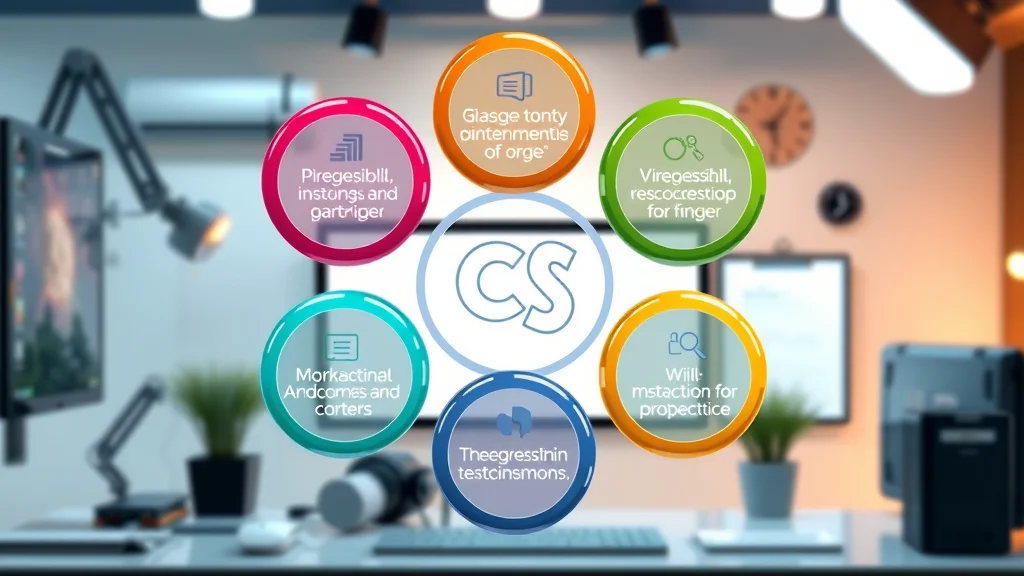
Dynamic infographic of the 7 C’s of website optimization, visually segmented circles with photorealistic 3D detail

Key Benefits of Effective Website Optimization

  • Increase in conversion rate and conversion rates
  • Enhanced user experience
  • Boosted rankings in search engines
  • Higher engagement on landing page

When you commit to website optimization, you position your site for measurable success. For one, you’ll see a direct uptick in conversion rate—whether your goal is more sales, sign-ups, or downloads. Users linger longer and explore further thanks to streamlined design and fast page speed. With a better user experience, your visitors become repeat customers and even advocates.

This focus on user-centric design and technical performance also has a direct impact on your search engine rankings. Search engines reward sites that load quickly, are easy to navigate, and provide quality experiences. The compounding benefits include higher landing page engagement and reduced abandonment, strengthening your digital presence and ROI.

Happy online shopper using a fast, responsive website for better conversion rates and website optimization

Strategic Steps for Successful Website Optimization

Step 1: Analyze Your Website Performance with Analytics Tools

  • Google Analytics
  • Hotjar
  • Crazy Egg
  • optimization tool

The journey to effective website optimization starts with a thorough understanding of your current performance. By utilizing analytics tools such as Google Analytics, Hotjar, and Crazy Egg, you gain valuable insights into visitor behavior, page load bottlenecks, and high-exit points. These optimization tools track how users interact with your site, where they drop off, and which pages convert best.

This data-driven approach ensures that you’re optimizing the right elements, not just making changes based on guesswork. With detailed heatmaps, session recordings, and custom events, you can pinpoint what’s working and what needs improvement. These findings fuel the rest of your optimization efforts, enabling you to set clear goals and prioritize changes that will have the most significant impact on both website performance and conversion rates.

Hands on laptop using analytics dashboards and heatmaps for website optimization and analysis

Step 2: Identify and Improve Key User Experience Elements

  • Navigation structure
  • Mobile responsiveness
  • Readability and content formatting

After gathering data on your site’s usage, focus on what matters most: the user experience. Start by refining your navigation structure—ensure it’s intuitive and allows users to find what they’re looking for in as few clicks as possible. Consider how your menus, internal links, and calls-to-action are arranged for clarity and ease of use.

Enhance mobile responsiveness so that visitors on smartphones and tablets have a seamless experience. This isn’t just best practice; search engines increasingly prioritize mobile-friendly sites. Finally, improve your content’s readability—use descriptive headings, break up long paragraphs, and enrich key sections with multimedia. Well-formatted content not only improves comprehension but also guides users smoothly toward conversion.

Step 3: Increase Page Speed and Improve Page Load Times

  • Optimize images and media
  • Minimize CSS/JS
  • Leverage browser caching
  • Top page speed optimization tools

Site and page speed are at the heart of website optimization. A one-second delay in load time can slash conversions by up to 7%. To boost speed, compress and resize images without sacrificing quality, and defer offscreen media for quicker initial loads. Streamline code by minimizing CSS and JavaScript, reducing requests made during page load.

Leverage browser caching so frequent visitors experience lightning-fast loads. Employ optimization tools like Google PageSpeed Insights, GTmetrix, or Lighthouse to identify issues and monitor improvements. These changes don’t just benefit your users—they’re also prized by search engine algorithms, raising your position in google search results.

Fast-loading web page illustration, user experiencing instant page transitions and improved site speed for website optimization

Step 4: Optimize Your Website for Conversion Rate Optimization

  • A/B testing
  • Effective landing page design
  • Clear calls to action

With a fast, user-friendly site in place, focus on conversion rate optimization (CRO). A/B testing lets you compare variations of headlines, layouts, button colors, and calls-to-action to determine what resonates most with your audience. Start simple: test one element at a time for clean, actionable results.

Reimagine your landing page design for impact—incorporate persuasive copy, strong visuals, trust signals, and above-the-fold calls-to-action. Make sure buttons are visually prominent and copy is concise but compelling. A structured CRO strategy will turn website visitors into paying customers and strengthen your entire sales funnel.

Website Optimization Tools: Choosing and Using the Best

Tool Features Pros Cons Cost
Google Analytics Traffic analysis, goals, funnels, conversion tracking Robust, free, universal adoption Complex, steep learning curve Free
Hotjar Heatmaps, session recordings, feedback polls Visual, intuitive, great for UX insights Limited features on free plan Free & Paid
Crazy Egg Click tracking, heatmaps, A/B testing User-friendly, actionable insights Paid plans required for most features Paid
PageSpeed Insights Speed analysis, performance suggestions Free, detailed reports, direct from Google Limited to speed, not UX Free
Optimizely A/B testing, experimentation platform, analytics Enterprise-grade, deep segmentation Expensive for small businesses Paid

Sleek website optimization tools interface mosaic with multiple tool dashboards and distinctive widgets for website optimization

Enhancing User Experience for Higher Conversions

Role of User Experience in Web Optimization

A superior user experience is the linchpin of successful website optimization. When your web pages load quickly, display well on all devices, and offer clear navigation, users are more likely to engage and convert. Modern search engines increasingly weigh user experience alongside traditional ranking factors, meaning UX excellence boosts both organic reach and satisfaction.

Enhanced user experience also lowers bounce rates and keeps visitors moving through your funnel. As part of your optimization, continuously gather and implement user feedback, refine journeys, and test new design elements to keep your site intuitive, accessible, and enjoyable for all.

Smiling user interacting with streamlined, beautiful website UI for improved user experience and website optimization

Best Practices for a User-Centric Optimized Website

  • Personalized user journeys
  • Intuitive design
  • Descriptive headings and multimedia

Begin by mapping personalized user journeys based on visitor intent and behavior patterns identified through analytics tools. Tailor content and product recommendations, and simplify navigation with clear menus, search bars, and contextual links. Intuitive layout and visual cues, such as card-based designs or sticky calls-to-action, guide users without overwhelming them.

Utilize descriptive headings and integrate engaging multimedia—like explainer videos, infographics, or interactive widgets—to improve information retention and appeal to different learning styles. Cohesive typography, color schemes, and consistent branding reinforce trust and make your site memorable. These best practices transform ordinary websites into digital experiences that convert.

Leveraging Technical SEO for Comprehensive Website Optimization

On-Site Technical SEO Fundamentals

  • Meta tags
  • Schema markup
  • Site architecture

Technical SEO forms the structural backbone of website optimization. Begin by optimizing meta tags—ensuring each page’s title and description are unique, descriptive, and keyword-rich for maximum visibility in google search. Implement schema markup to enhance how your listings appear in search engines with rich snippets, reviews, or FAQs.

Audit your site architecture to maintain logical, shallow navigation. Every important page should be accessible within a few clicks from the homepage to distribute authority and appeal to search engine crawlers for improved indexing. Mobile-friendliness, SSL certificates, and clean URLs are also crucial, ensuring both crawlers and users appreciate your optimized website.

Site Speed: A Critical Search Engine Ranking Factor

  • How site speed impacts google search, page speed, and technical SEO

Site speed is one of the most direct ranking factors in modern search engines. Fast websites not only improve user experience, but also offer a competitive edge in google search by meeting technical SEO standards. Slow load times frustrate users, causing higher bounce rate and lost potential customers.

Speed up your website by leveraging CDNs (Content Delivery Networks), choosing lightweight themes, and routinely auditing with optimization tools. Prioritizing site speed is critical for long-term ranking, engagement, and ultimately, greater conversion rates.

Conversion Rate Optimization Tactics That Drive Results

Case Study Optimization Change A/B Test Result Lift in Conversion Rate
E-commerce Landing Page Added trust badges, improved call-to-action B variant outperformed A +20%
SaaS Lead Gen Page Simplified form, removed distractions B variant outperformed A +33%
B2B Service Site Integrated testimonial slider, clearer benefits B variant outperformed A +26%

A/B testing is the engine behind effective rate optimization. The above cases demonstrate how minor adjustments—from adding trust signals to simplifying forms—can generate significant jumps in conversion rate. Run regular tests, analyze results with your analytics tool, and scale winning ideas sitewide for dramatic ROI improvements.
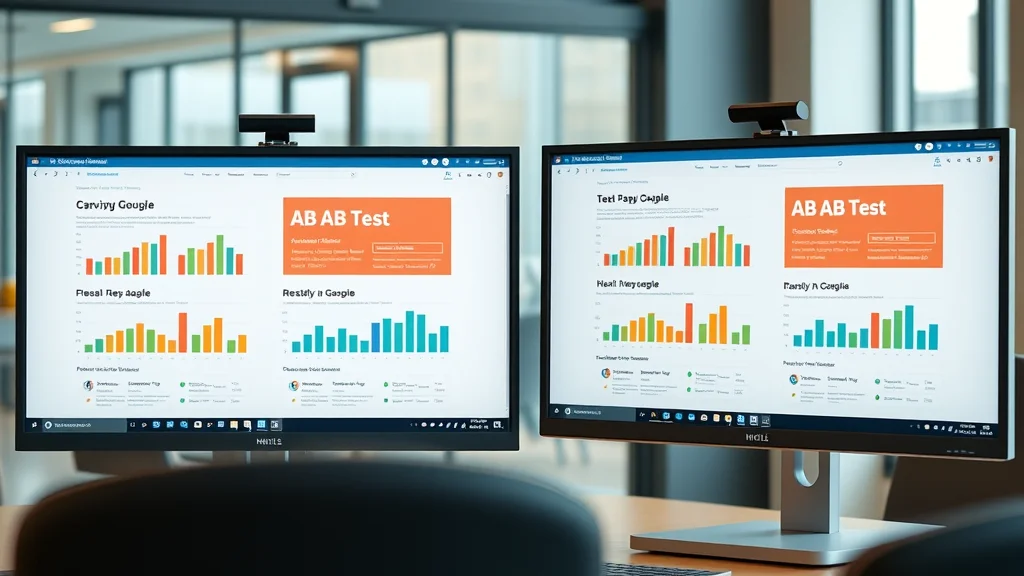
Two contrasting landing page layouts on monitors for A/B test and conversion rate optimization comparison

Landing Pages: Optimizing Your Website’s Entry Points

Key Elements of a High-Converting Landing Page

  • Compelling headlines
  • Persuasive copy
  • Trust signals
  • Strong visuals

Landing pages are the front door to your site for many visitors, especially from ads and organic search. High-converting landing pages combine compelling headlines that immediately address user intent, clear and benefit-driven copy, prominent trust signals (such as reviews or guarantees), and conversion-oriented visuals.

Top-performing pages focus on one goal, minimize distractions, and place their main call-to-action above the fold. Use strategic color contrast, authoritative quotes, and relevant imagery to direct attention. A/B test multiple versions to identify what resonates with your target audience—even subtle changes can unlock major conversion rate improvements.

Attractive landing page mockup with clear call-to-action and trust badges for website optimization

Utilizing Analytics Tools for Continuous Website Optimization

Integrating Website Optimization Tools with Analytics

  • Tracking conversion rates
  • Monitoring website performance improvements

The most successful sites are those that never stop optimizing. Integrate your chosen website optimization tools with robust analytics tools to create a feedback loop: identify weak points, implement changes, and observe the impact. Set up tracking for conversion rates, user paths, drop-offs, and technical KPIs.

Regularly monitor website performance metrics to validate hypotheses, avoid stagnation, and predict emerging issues. Automated reporting and dashboards help your team stay proactive, letting you focus on scaling what works and fixing what doesn’t.

Dashboard overview of analytics and website optimization tools tracking conversion rates and website performance

Common Pitfalls in Website Optimization (and How to Avoid Them)

  • Neglecting mobile optimization
  • Overlooking site speed
  • Misusing optimization tools

Even seasoned marketers can falter if they ignore core areas. Skipping mobile optimization alienates a growing wave of visitors who browse and purchase on their phones and tablets. Overlooking site speed risks ranking penalties, poor user experience, and lost conversions. Finally, misusing optimization tools—like interpreting heatmaps without context or running too many simultaneous A/B tests—can lead you astray.

To stay ahead, always validate data against user feedback, and balance analytics with a holistic understanding of your audience’s real needs. Continuous training and clear KPIs ensure your optimization efforts remain focused and effective.

Key Metrics for Measuring Website Optimization Success

  • Bounce rate
  • Average session duration
  • Conversion rate
  • Core Web Vitals

Focus on stats like: bounce rate (can you keep visitors engaged?), average session duration (are they spending time exploring?), conversion rate (are changes leading to more action?), and Google’s Core Web Vitals (real-world performance and user-centric metrics)

People Also Ask: Website Optimization Insights

How can I optimise my website?

To optimize your website, start by auditing your current site with analytics tools to identify weaknesses. Revamp your navigation for ease-of-use, ensure your design is mobile-responsive, improve page speed by compressing images and streamlining code, and implement CRO principles with strong calls-to-action. Monitor results and iterate based on real performance data.

Detailed steps: Audit current site, optimize your website structure, improve user experience, use optimization tools, and monitor conversion rate.

Begin with a detailed audit using tools like Google Analytics or Hotjar. Next, clean up your site architecture by simplifying menus and improving logical flow. Address critical user experience factors—layout, speed, readability, and mobile friendliness. Use optimization tools for A/B testing and ongoing analysis, always keeping an eye on your site’s conversion rate and user feedback to fuel continuous improvement.

What is the difference between SEO and website optimization?

SEO centers on improving a site’s search engine rankings through keyword targeting, backlinks, and meta improvements. In contrast, website optimization covers every aspect of making your web presence more effective—technical performance, conversion rate, user experience, and business outcomes. Both are crucial but serve distinct purposes in the digital marketing ecosystem.

SEO focuses on improving a site’s visibility in search engines, while website optimization encompasses enhancing overall website performance, user experience, and conversions.

In short, SEO draws people to your site, but website optimization ensures they have a great experience and are likely to convert.

What are the 7 C's of a website?

The 7 C’s are content, context, community, customization, communication, connection, and commerce.

The 7 C's are content, context, community, customization, communication, connection, and commerce.

Together, these pillars form the framework of a successful, high-converting website.

Is SEO worth it anymore?

Yes—SEO remains a critical part of website optimization and digital marketing, continuously influencing search engine ranking and attracting qualified traffic. When paired with holistic optimization, it amplifies results and drives sustainable growth.

Yes. SEO remains a crucial part of website optimization and digital marketing, affecting search engine rankings and attracting qualified traffic.

Even with other channels rising, SEO holds its value as a cornerstone of online success.

Frequently Asked Questions (FAQs) About Website Optimization

  • How often should I review my website optimization strategy?
    Review quarterly, or after major changes or spikes in traffic. Regular reviews ensure your site stays aligned with evolving user preferences and search algorithm updates.
  • What is the quickest way to boost my conversion rate?
    Identify high-traffic pages and improve calls-to-action, headline clarity, and eliminate distractions. A/B testing these elements can yield fast wins.
  • Which optimization tool is best for small businesses?
    Start with Google Analytics for insights, then add Hotjar for UX feedback. Both offer free versions with powerful features for small sites.

Key Takeaways on Website Optimization and Conversion Growth

  • Website optimization is essential for conversion rate improvement
  • User experience and technical SEO have direct impacts
  • Ongoing analytics and optimization tool use are critical for long-term success

If you’re ready to take your optimization efforts to the next level, consider expanding your strategy to include advanced SEO techniques. Mastering search engine optimization not only amplifies your website’s visibility but also complements your conversion-focused improvements for sustainable growth. Discover how to boost your organic traffic and unlock even greater results by exploring our in-depth resource on mastering SEO for rapid traffic growth. Elevate your digital marketing approach and position your business for long-term success.

Ready to Boost Your Website Performance and Conversion Rates? Get Started with Our Expert Audit Today!

Don't let your website’s potential go untapped. Contact our team for a complimentary optimization audit and start increasing your conversion rates today!


Website Optimization Tips

0 Comments

Write A Comment

*
*
Related Posts All Posts
02.17.2026

How to Increase Website Conversion Rates Without Guesswork

Did you know over 70% of websites lose potential customers due to preventable conversion issues? If you’re tired of seeing visitors leave without taking action, it’s time to stop guessing. In this guide, you’ll learn exactly how to increase website conversion rates with proven, scientific methods—no wild stabs in the dark, just data-driven success. Discover how to optimize every step of your visitor journey, from the landing page all the way to checkout, and build lasting trust with every click. Ready to turn more of your traffic into paying customers?Unlocking the Secret to How to Increase Website Conversion Rates: The Data Behind Digital GrowthThe key to how to increase website conversion rates lies in using real data—not opinions—to make impactful changes. Countless businesses try improving their conversion rates through gut instinct or trends, but true digital growth happens when you apply analytics, research, and testing. Whether you're an ecommerce site striving to boost cart completions or a service business collecting more leads, your website conversion rate is one of your most important business health indicators.Start by analyzing user behavior through tools like Google Analytics, Hotjar, or dedicated rate optimization platforms. Identify where potential customers are dropping out of the funnel, which landing pages underperform, and which elements snag attention. Use A/B testing to validate changes before full rollout, ensuring your efforts are guided by real results. With over 70% of businesses losing sales due to overlooked conversion opportunities, integrating a data-focused approach puts you ahead of the pack.Startling Statistic: Over 70% of websites lose potential customers due to preventable conversion issues—learn to increase your conversion rate using science, not guesswork.What You'll Learn: Practical, actionable tactics on how to increase website conversion rates; leveraging conversion rate optimization, rate optimization tools, landing page improvements, and more.Why Website Conversion Rates Matter for Business GrowthIt’s impossible to grow your digital presence without understanding conversion rates and their impact. Simply driving traffic isn’t enough—what matters is how many site visitors become customers or leads. For ecommerce companies, this is measured as the ecommerce conversion rate : the percentage of visitors who make a purchase. Traditional businesses or B2B sites may track commerce conversion , such as submitting a quote request or filling out a form.Every website conversion —whether it’s an email sign-up, a download, or a sale—is an opportunity to generate revenue and deepen customer relationships. By paying attention to your specific industry benchmark and using rate optimization techniques, you can ensure your business isn’t leaving money on the table. Let’s see how different sectors stack up:Industry Average Website Conversion Rates BreakdownIndustryAverage Conversion RateTop 25% BenchmarkEcommerce2.5% – 3%5% and aboveB2B SaaS5% – 7%10%+Lead Generation3% – 5%8%+Travel & Hospitality1% – 2%3%+"Conversion rate optimization is no longer optional—it’s vital for sustainable growth." – Conversion ExpertCore Elements of Conversion Rate Optimization: Boosting Website ConversionsOptimizing Landing Pages to Drive Higher Conversion RateYour landing pages are the gateways for your website visitors to become leads or customers. To consistently achieve a higher conversion rate , you must design each landing page with purpose. The essential components? A compelling call-to-action (CTA) , a clear value proposition, and a smooth, distraction-free user flow. When site visitors land on your page, they should instantly know what you offer and how it benefits them.Incorporate trust signals near your CTAs, use concise headlines, and ensure every visual supports the visitor’s journey toward conversion. Simplicity and clarity outperform clutter every time. Every element—from imagery to button color—should reinforce the single goal of the page, be it a sale, sign-up, or download. Test different headline formulations and CTA placements using A/B tests to discover what resonates best and increase your conversion rate scientifically.Key factors for effective landing page design: compelling CTAs, clear value propositions, and user flow strategies for how to increase website conversion rates.The Checkout Process: Reducing Friction for Commerce ConversionThe checkout process often becomes a bottleneck in the customer journey. When too many steps, confusing forms, or unexpected costs appear, ecommerce conversion rates plummet. Simplify the checkout experience by removing unnecessary fields, offering guest checkouts, and making shipping and pricing transparent right from the start. Integrate autofill where possible, display progress indicators, and assure visitors of the security of their information with trust badges.Reduce cart abandonment by providing multiple payment options and live support for questions or issues. Streamlining the checkout page makes purchasing as frictionless as possible, ensuring more shoppers complete their transactions. Technologies like one-click checkout are game-changers for commerce conversion, especially for businesses with high mobile traffic.Top ways to streamline the checkout process and reduce cart abandonment for ecommerce conversion rate improvements.Optimizing Product Pages for Increased ConversionYour product pages are a critical touchpoint in persuading potential customers to make a purchase. High-converting product page designs leverage persuasive, benefit-focused copy that speaks directly to user needs. Invest in high-quality visuals, interactive product galleries, and videos that show items in use. Each feature and benefit should be clearly outlined to minimize uncertainty and boost buyer confidence.To further increase conversion rate , reinforce your credibility through trust badges—like money-back guarantees or third-party certifications—and include real customer reviews for social proof. Provide granular product details, multiple images, and simple ways to compare similar items, elevating the overall user experience.Best practices for high-converting product pages: persuasive copy, visuals, and trust signals.Integrating Rate Optimization Tools for Data-Driven DecisionsOutperforming your competitors requires making every improvement measurable. Modern rate optimization tools—including Google Optimize, VWO, and Optimizely—empower you to test hypotheses, track key metrics, and reveal hidden weaknesses. Integrated dashboards eliminate guesswork by presenting actionable insights, conversion paths, and user journey bottlenecks.Leverage heatmaps to see where site visitors click, session replays to understand stumbling blocks, and surveys to get qualitative feedback. Don’t overlook automated reporting and alerts for emerging trends. Data is the ultimate driver—let your analytics dictate your optimization roadmap for the most significant impacts on conversion rate.Analyzing User Experience to Enhance Website ConversionAssessing and Improving the User Experience JourneyImproving your website’s user experience not only delights visitors but also directly drives higher conversion rates. A site that loads fast, responds well on mobile devices, and enables intuitive navigation will keep potential customers engaged. Focus on technical improvements such as image compression, fast reliable hosting, and mobile optimization above the fold.Beyond speed, structure your website so that a user’s next step is always clear. Use logical headings, consistent layouts, and clear menu paths to reduce confusion. Test your navigation with real users and gather feedback on pain points. Investing in the user’s journey leads to more conversions and long-term loyalty.Actionable UX strategies to increase your conversion: site speed, mobile responsiveness, intuitive navigation.Building Trust: The Role of Social Proof and Trust BadgesNothing increases website conversions faster than social proof. Reviews, testimonials, and case studies assure potential customers they’re making the right decision. Showcase satisfied customers and client logos on landing and product pages to encourage trust. Trust badges—SSL certificates, payment guarantees, or memberships in professional organizations—signal safety and reliability.To build trust, feature real photos and feedback, cite relevant awards, and be transparent about pricing, shipping, and returns. Use social media mentions and user-generated content strategically to reinforce your reputation. When trust is established, conversion rates rise significantly.How to use testimonials, case studies, and trust badges to increase conversion rate and build customer trust."People buy from people they trust. Social proof is a catalyst for higher conversion rates."Advanced Techniques to Increase Your Conversion Rate Across All PagesReducing Abandoned Cart Rates for Better Ecommerce ConversionAbandoned cart recovery is essential if you want to increase website conversion rates in ecommerce. Send timely, personalized email reminders to shoppers who didn’t complete checkout, offering incentives like free shipping or a one-time discount. Implement cart-saving features to make returning seamless—remembering product selections and offering a fast way to re-enter payment details.Analyze cart abandonment reasons through exit surveys or analytics. Tackle issues like unexpected fees, long delivery times, or complex processes to improve the checkout process. Recovering even a small percentage of abandoned carts can drive a significant revenue boost.Best practices to recover abandoned carts and increase conversion rates with targeted strategies.Maximizing Conversions with Free Shipping and Limited-Time OffersFew incentives are as powerful as free shipping. Prominently displaying a “Free Shipping” banner on your website or during checkout reduces purchase hesitation. Pair this with limited-time offers to create urgency—“Order in the next hour!” or “Only 5 left in stock!”Conveying scarcity and urgency encourages shoppers to act immediately, rather than deferring purchases. Integrate countdown timers, stock meters, and exclusive deals for first-time buyers to supplement your rate optimization strategy. Combining psychological triggers and real, tangible incentives leads to higher purchase completion rates across all product pages.Incentives that make a difference in website conversions: urgency, scarcity, and free shipping.Personalization and AI in Conversion Rate OptimizationAI-powered tools have revolutionized conversion rate optimization. Personalization engines analyze user data to deliver recommendations, dynamic content, and offers tailored to each visitor’s behavior. This yields massive improvements in both engagement and sales by presenting the most relevant products or messages at the right time.Leverage AI-driven chatbots to answer questions instantly, segment users for predictive offers, and automate follow-ups based on behavioral cues. Testing personalized homepage headlines, product suggestions, and even checkout upsells can help increase your conversion rate. When you use advanced technology to anticipate customer needs, you turn every website visit into a crafted, conversion-focused experience.How to leverage AI-driven personalization to boost your conversion rate and website conversions.Testing and Measuring: The Heartbeat of Rate OptimizationA/B Testing and Multivariate Tests for Higher ConversionTesting is the backbone of effective rate optimization. Use A/B tests to compare two variations of a landing or product page—such as different headlines, images, or CTAs—to determine which yields a higher conversion rate. Multivariate testing allows you to test multiple elements simultaneously, uncovering synergistic improvements.Define your goals, outline clear success metrics, and only change one variable at a time to attribute results properly. Monitor performance for a statistically significant period—then roll out winners sitewide. Ongoing testing creates a culture of continuous improvement, so your website conversion never stagnates.Step-by-step: Setting up A/B tests for headlines, CTAs, and product pages to increase website conversion rates.Analytics to Track and Monitor Conversion Rate OptimizationTracking performance is as important as making changes. Use advanced analytics to monitor conversion rates, average order value, user flow, and abandonment points. Platforms like Google Analytics, Mixpanel, and Hotjar help uncover actionable insights by visualizing where users hesitate or drop off.Set up conversion goals in your analytics suite, track micro-conversions (such as button clicks or video plays), and review dashboards regularly. The best teams establish automated reporting to catch downward trends and capitalize on quick wins. Consistently calibrating your strategy with real-time data ensures rate optimization leads to lasting improvement—not just short-term gains.Key metrics and tools to monitor for ongoing improvement in website conversion, ecommerce conversion, and rate optimization.Popular Conversion Rate Optimization ToolsTool NamePurposeGoogle OptimizeA/B and multivariate testingHotjarHeatmaps, session recordingsOptimizelyComprehensive CRO suiteCrazy EggVisual analytics, user journey analysisVWOTesting and analytics platformPeople Also Ask: Expert Answers on How to Increase Website Conversion RatesHow can I increase the conversion rate of my website?Practical guide: To increase your website's conversion rate, focus on optimizing your landing pages with clear CTAs, streamlining the checkout process for easy completion, leveraging social proof such as testimonials, and conducting A/B testing on key site areas. Enhancing the user experience by reducing friction and improving site speed can also motivate more site visitors to complete desired actions.What is a good conversion rate for a website?Explanation: Most industries see average website conversion rates between 2% and 5%. Leading websites, however, consistently achieve 10% or higher by applying rigorous conversion rate optimization strategies and tailoring their approach to audience needs. Strive to surpass industry averages by continuously refining your site and processes.Why is my website conversion rate so low?Key reasons: Common causes of low conversion rates include poor user experience, unclear or hidden CTAs, slow page load times, sending irrelevant traffic to your landing pages, and not displaying trust signals. Addressing each of these areas can lead to a significant increase in conversion performance.How to increase overall conversion?Action steps: Conduct a thorough CRO audit, prioritize user-centric design across your entire website, rigorously test each change using analytics, and provide compelling offers that encourage users to take immediate action. Building trust, maintaining clarity, and continuously optimizing are key to increasing conversions.Top Tools and Resources for Long-Term Conversion Rate OptimizationCRO Software: Optimizely, VWO, Convert.comAnalytics Platforms: Google Analytics, MixpanelA/B Testing Tools: Google Optimize, UnbouncePersonalization Engines: Dynamic Yield, SegmentUX Evaluation Tools: Hotjar, Crazy EggCommon Mistakes to Avoid When Aiming to Increase Your ConversionOverlooking the importance of the mobile user experience, causing mobile visitors to bounce.Neglecting to set up or act on A/B testing insights, leaving conversion wins untapped.Ignoring abandoned cart recovery tactics, resulting in missed revenue opportunities.Failing to personalize content or offers according to user segments, lowering site engagement."Don't let easy wins slip by—focus on what matters most to drive higher conversion rate and real profits."Frequently Asked Questions about How to Increase Website Conversion RatesWhat is conversion rate optimization? Conversion rate optimization (CRO) is the process of increasing the percentage of users who take a desired action on your website—such as making a purchase, filling out a form, or signing up for a service—through testing, analytics, and improvements to the user journey.How often should I test new changes on my site? Ideally, you should have a culture of continuous testing, running new A/B or multivariate tests at least once a month or whenever you roll out significant changes.Can small design tweaks really impact my conversion rates? Yes! Even minor adjustments like button color, CTA text, or layout structure can produce noticeable impacts on conversion metrics when tested scientifically.Do reviews and testimonials genuinely help? Displaying authentic reviews and testimonials has a proven positive effect on building trust and increasing conversions—especially for first-time buyers unsure about your brand.Is CRO only for ecommerce sites? No, CRO is vital for any website seeking a specific action—including SaaS, lead generation, nonprofits, and local businesses. The tactics may differ, but the principles remain universal.Maximize Your Success: Key Takeaways for How to Increase Website Conversion RatesInvest in continuous testing through A/B and multivariate methods.Prioritize holistic UX improvements to retain more potential customers.Leverage leading conversion rate optimization tools for ongoing data-driven refinements.Embrace personalization and trust-building tactics across landing, checkout, and product pages.Monitor analytics religiously and act on emerging trends for sustained business growth.Ready to Increase Website Conversion Rates Without the Guesswork?Take the next step in your rate optimization journey. Schedule a Free Strategy Session Today!To further enhance your understanding of increasing website conversion rates, consider exploring the following authoritative resources:“7 Simple Ways To Increase Your Website Conversion Rate” ( forbes.com )“23 Proven Strategies to Boost Your Website’s Conversion Rate” ( zoho.com )These articles provide actionable insights and strategies to optimize your website’s performance and effectively convert visitors into customers.

02.14.2026

Funnel Tracking Tools for Small Business That Deliver Results

Did you know that businesses using funnel tracking tools can increase conversion rates by up to 50%? Understanding and optimizing every stage of your sales funnel is a game-changer for small businesses.Exploring Funnel Tracking Tools for Small Business: Power Up Your Sales FunnelChoosing the right funnel tracking tools for small business could be the difference between stagnation and explosive growth. As competition heats up, your ability to analyze, act on, and optimize every step of the sales funnel can transform how you guide potential customers to paying customers. Modern small businesses have adopted sales funnel software and funnel builder solutions to identify friction points, understand user behavior , and boost conversion rates.Whether you’re a fledgling e-commerce shop or a thriving service business, these software tools provide invaluable clarity into what drives conversion rates and what stalls the customer journey. With real-time analytics and actionable insights, sales funnel tracking can reveal exactly where leads drop off and how to nudge them forward. The result? Smarter marketing, more efficient processes, and a direct path to increased revenue.Why funnel tracking matters for small business successHow funnel tracking tools drive better conversion ratesReal-world use cases: Transforming sales funnels through trackingTop 10 Funnel Tracking Tools for Small Business: Elevate Your Sales Funnel PerformanceThe right funnel builder or sales funnel software can streamline your lead gen, optimize landing pages, and reveal where your marketing efforts are paying off—or falling short. Here’s a detailed comparison of the most effective funnel tracking tools for small business , each packed with the features that make conversion optimization a breeze.Comparison of Funnel Tracking Tools for Small BusinessToolKey FeaturesPricingEase of UseIntegrationsTrialHubSpotAll-in-one funnel software, lead gen, automation, analyticsFree plan, paid from $50/moVery EasyCRM, email, ads, e-commerceFree planClickFunnelsProven funnel builder, landing page and sales funnelsFrom $97/moEasyPayment, email, webinar14-day free trialKeapEmail marketing, lead capture, advanced formsFrom $79/moModerateCRM, automation, integrations14-day free trialGetResponseLanding pages, page builder, funnel trackingFrom $19/moEasyEmail, CRM, webinar30-day free trialActiveCampaignMarketing automation, personalized funnelsFrom $29/moEasyCRM, landing pages, email14-day free trialZoho CRMPipeline tracking, analytics, landing page builderFree plan, paid from $14/moModerateCRM, email, apps15-day free trialPipedriveVisual funnel builder, conversion analyticsFrom $14.90/moEasyCRM, email, web forms14-day free trialLeadpagesLanding page builder, lead captureFrom $37/moVery EasyEmail, payment, CRM14-day free trialConvertKitEmail marketing, conversion analytics, blog funnelsFree plan, paid from $9/moVery EasyEmail, landing pages, formsFree planBuilderallFunnel builder, automation, analyticsFrom $16.90/moModerateWebinar, email, CRM14-day free trial1. HubSpot: All-in-One Funnel Software & Marketing Automation ToolComprehensive sales funnel software for small businessesLead capture and automation featuresAdvanced marketing automation and analyticsHubSpot is an acclaimed all-in-one funnel tracking tool designed specifically for small business needs. Its sales funnel software integrates lead generation , advanced automation tools , and deep reporting to provide end-to-end visibility—perfect for spotting sales funnel drop-offs and responding quickly. With landing page and page builder capabilities, teams can launch customized campaigns without technical hassle.Small businesses benefit from built-in CRM, email marketing options, and user-friendly analytics dashboards. Whether you're capturing a new lead or nurturing an existing one, HubSpot’s software tool is renowned for empowering users to optimize the customer journey at every interaction.2. ClickFunnels: Leading Funnel Builder for High-Converting Landing PagesFunnel builder with proven sales funnel templatesOptimized landing page builderTools for user behavior and conversion rate trackingClickFunnels stands out as a robust funnel builder known for its high-converting landing pages and intuitive drag-and-drop interface. With extensive sales funnel software templates, small businesses can rapidly construct targeted marketing campaigns designed to capture leads and guide visitors to becoming paying customers.The platform excels in mapping every phase of the sales process. It also tracks conversion rates and user behavior with clear analytics, allowing businesses to make adjustments that ensure the best possible outcome at each touchpoint. ClickFunnels’ seamless integrations with popular marketing and CRM tools make it easy to orchestrate multi-channel strategies.3. Keap: Powerful Sales Funnel Software with Email MarketingSeamless email marketing automationLead gen and customer journey insightsAdvanced lead capture formsKeap blends CRM, sales funnel software, and email marketing into a unified experience that’s great for small businesses ready to automate their follow-ups and drive conversion rates higher. By automating repetitive outreach, Keap frees up your team to focus on high-value prospects.With rich landing page and lead capture features, Keap ensures no lead is left behind. The tool offers smart segmentation, so your contacts only get relevant content, nurturing each relationship and encouraging progression through your sales funnel.4. GetResponse: Multi-Feature Funnel Tracking Software ToolIntegrated funnel software for small businessesLanding pages, page builder, and automated email campaignsInsights into user behavior and conversion ratesGetResponse combines a versatile page builder , robust landing page templates, and automated campaign workflows to simplify lead gen and sales funnels management. Its software tool offers precise data on conversion rates and visitor engagement, making optimization straightforward and continuous.The platform’s analytics engine unveils how visitor segments behave throughout your sales funnel, helping small businesses fine-tune marketing efforts for better results. With support for webinars, automation, and comprehensive reporting, GetResponse is a full-featured solution for data-driven sales funnel growth.5. ActiveCampaign: Marketing Automation Tools for Small BusinessesAdvanced sales funnel software automation toolsPersonalized landing pages and lead genConversion rate optimization featuresActiveCampaign specializes in automation tools and personalized funnel tracking, offering small businesses unrivaled flexibility in customer engagement. It enables customized, behavior-triggered email marketing and seamless landing page experiences.This platform’s powerful segmentation and split-testing capabilities can boost conversion rates at every sales funnel stage. Analytics on user behavior and campaign performance give clear direction on where to optimize and double down on what works best.6. Zoho CRM: Streamlined Funnel Tracking for Small Business GrowthSales funnel management and analyticsCustomizable landing pages and pipeline trackingUser behavior analyticsZoho CRM provides intuitive sales funnel software and pipeline tracking that empowers business owners to monitor each deal from lead generation to close. Through customizable dashboards and analytics, teams can quickly identify high-ROI activities that drive conversions and eliminate bottlenecks.Zoho’s integrations with popular email marketing and landing page tools ensure seamless prospect and customer management. The solution’s real-time user behavior analytics help refine the customer journey and accelerate business growth.7. Pipedrive: Funnel Builder & Sales Funnel Software for Small BusinessVisual sales funnel builderLead generation and follow-up trackingConversion rate analyticsPipedrive is a visual funnel builder designed for sales teams and growing small businesses. Its drag-and-drop interface makes it easy to build, manage, and track multiple sales pipelines, from the first touch to final conversion.The software’s analytics dashboard delivers actionable insights into conversion rates and sales process efficiency, helping you recognize your highest-performing strategies. Its integrations support email marketing , leads follow-up, and more for robust sales funnel automation.8. Leadpages: Conversion-Optimized Landing Page Builder and Funnel ToolLanding pages for small businessesPage builder for lead captureConversion rates and analyticsLeadpages is renowned for its drag-and-drop landing page builder that enables small businesses to quickly create attractive, conversion-focused web pages. With a range of high-performing templates, you can optimize every step of your sales funnel to maximize leads and drive down acquisition costs.The built-in analytics report on both conversion rates and visitor engagement, so you always know which campaigns or landing pages are delivering results. By integrating with your email marketing platform and CRM, Leadpages centralizes all your lead gen efforts for easier tracking and optimization.9. ConvertKit: Streamlined Email Marketing and Funnel TrackingAutomation tool for email marketingLead capture integration for sales funnelsInsights into conversion rate and user journeysConvertKit is built for creators and small businesses seeking simple but potent email marketing automation. Its funnel tracking tool enables you to map out the entire customer journey —from opt-in through to conversion—while tracking conversion rates with easy-to-understand reports.ConvertKit integrates seamlessly with landing pages , forms, and third-party marketing tools, making it effortless to capture, nurture, and convert leads. Its streamlined approach makes campaign building and optimization accessible for all experience levels.10. Builderall: All-in-One Funnel Builder for User Behavior InsightsFunnel builder and sales funnel software featuresMarketing automation and lead genAdvanced analytics and user behavior trackingBuilderall integrates nearly every tool a small business needs to build and track sales funnels : landing page builder, marketing automation, sales funnel software, and analytics. The platform helps identify user behavior trends, letting you adjust your customer journey in real time.Its visual funnel builder and robust analytics dashboard make diagnosing problems and doubling down on successful strategies simple. Builderall is frequently updated and designed for scalability, so businesses can start small and expand seamlessly as their needs grow.How Funnel Tracking Tools for Small Business Optimize Sales FunnelsFunnel tracking tools for small business are instrumental in making sense of complex sales funnels and turning data into actionable steps. By offering bird’s-eye and granular views into your sales funnel , these software tools help pinpoint exactly where users lose interest and why. Whether through landing page performance, email open rates, or lead capture numbers, understanding the metrics lets you improve each touchpoint in the customer journey.Sophisticated funnel software doesn’t just track entry and exit points; it uncovers the nuances of user behavior , guiding small businesses to tweak their messaging, offers, and follow-ups. Regularly reviewing these insights enables businesses to act decisively, enhancing the path from initial interest to conversion.Understanding the Customer Journey with Funnel Tracking ToolsMapping the sales funnel from first click to conversionTracking user behavior and engagement at every funnel stageMapping the customer journey is fundamental for a thriving small business. Using funnel tracking tools , you can visualize every interaction a prospect has with your brand—from ad click to landing page visit, to lead capture , to email sequence engagement, and finally to conversion.At each stage, the right sales funnel software highlights performance metrics and reveals where engagement drops off. This transparency provides the actionable feedback necessary to re-engage users and refine marketing and sales messages for every phase of the journey.Increasing Conversion Rates through Data-Driven DecisionsIdentify bottlenecks in your sales funnel softwareA/B testing landing pages and lead capture toolsTrack and boost conversion rates for small businessesData doesn’t lie. By leveraging powerful analytics within funnel tracking tools, small businesses can zero in on exactly what’s working and what isn’t. Using conversion analytics, you can identify bottlenecks —whether it’s a landing page that underperforms, a lead gen form with too many fields, or a confusing step in your sales process.The best sales funnel software provides built-in A/B testing, allowing you to experiment with different headlines, calls to action, forms, and more. With this evidence-driven approach, you can continually optimize each campaign to boost conversion rates, ensuring better ROI for every marketing dollar spent.Automation Tools: Enhancing Sales Funnel Software EfficiencyLeveraging marketing automation to nurture leadsReducing manual processes with sales funnel softwareMarketing automation is the secret weapon in today’s most successful small business sales funnels. By using automation tools integrated with your funnel software, you can ensure leads are engaged at each touchpoint without having to manually follow up.Automating repetitive actions frees up valuable time for your team and makes nurturing prospects—through personalized emails, text messages, and reminders—more effective. The outcome? A more streamlined workflow, a higher conversion rate, and a customer experience that feels thoughtful and timely.Key Features to Seek in Funnel Tracking Tools for Small BusinessComprehensive analytics for user behaviorIntuitive landing page and page builder integrationsLead capture and generation capabilitiesOptimized for small business growth and scalabilityAs you evaluate funnel tracking tools for small business , it’s vital to hone in on the features that empower growth and make your marketing efforts more efficient. Look for comprehensive analytics that break down user behavior across your funnel. Tools that offer intuitive page builder or landing page integrations make it easier for non-tech teams to launch and test campaigns.Efficient lead capture and nurturing, robust integration with your email marketing platform and CRM, and the flexibility to adapt as your business grows are also non-negotiables. The best sales funnel software is built with scalability in mind, so it grows as you do.Assessing the ROI of Funnel Tracking Tools for Small BusinessMeasuring the cost effectiveness of funnel softwareTracking performance with built-in analyticsCalculating the impact on conversion rates and sales funnelsTo make smart investments in sales funnel software , you have to track how each tool affects your bottom line. The top funnel tracking tools come with built-in analytics dashboards, making it easy to monitor key performance indicators such as conversion rates , lead gen growth, and the sales process from contact to paying customer.By comparing the cost of each software tool against the measurable gains in sales or leads, you can establish concrete ROI. Continuous tweaking based on data ensures that over time, your marketing and sales funnel delivers better results for less investment.“The right funnel tracking tool can deliver insights that turn efforts into measurable results for any small business.”People Also Ask About Funnel Tracking Tools for Small BusinessHow do funnel tracking tools help increase conversion rates for small businesses?By monitoring sales funnel stages , identifying drop-off points, and optimizing marketing strategies, funnel tracking tools can significantly boost conversion rates for small businesses. They turn analytics into actionable strategies, ensuring leads keep moving toward conversion.What features should small businesses look for in funnel software?Essential features include lead capture , customizable landing pages , automation tools , analytics, and seamless integration with other platforms. These functionalities streamline your sales process and provide valuable data-driven insights.Are funnel tracking tools and sales funnel software suitable for all types of small businesses?Yes, whether you’re e-commerce, SaaS, or service-based, tailored sales funnel software exists to support varied business models. Most providers offer flexible templates and feature sets designed to meet unique industry needs.Can funnel tracking tools integrate with existing CRM and email marketing platforms?Most top funnel tracking tools for small business offer robust CRM, landing page , and email marketing integrations. This ensures a smooth data flow and unified view of every customer interaction across your marketing ecosystem.Expert Tips for Maximizing Your Sales Funnel with Funnel Tracking ToolsRegularly review data to identify new opportunitiesLeverage automation tools for efficiency gainsCreate high-converting landing pages to grow your lead genTest and refine your funnel builder strategies based on user behaviorTo get the most out of your funnel tracking tools for small business , make consistent, data-driven reviews part of your regular process. Automation tools don’t just make life easier—they ensure that every lead is nurtured at just the right moment.Prioritize building high-converting landing pages and regularly run tests with your funnel builder to keep your strategies sharp. Remember, as your audience and offerings evolve, so should your funnels. Stay agile, respond to what your data tells you, and build processes that scale as your business grows.Checklist to Maximize Your Sales FunnelActionBenefitSet clear funnel goalsFocused efforts and measurable progressMap the customer journeyIdentify friction, improve experienceUtilize A/B testingOptimization for higher conversion ratesSegment your leadsPersonalized messaging and offersAutomate follow-upsConsistent nurturing, no lead left behindReview analytics monthlyData-driven strategy adjustments“Sales funnels are only as good as the data you collect and act upon. Consistency in analysis is key.”Real-World Success Stories: Funnel Tracking Tools for Small Business Delivering ResultsCase study: Local retail boosts conversion rates with dedicated funnel softwareService business increases lead capture and automates the customer journeyE-commerce brand leverages landing page builder for rapid growthSmall retail stores have seen conversion rates climb after installing dedicated funnel software that pinpoints the most effective landing pages and sales funnel stages. Service-based businesses, like agencies or consultants, increase efficiency with automated lead capture and client onboarding, shortening the sales cycle.Ecommerce brands in particular benefit from instant insight into user behavior, using landing page builder tools to optimize upsell flows and increase average order value. These real-world examples prove that the right sales funnel software transforms potential into sustained, measurable growth for small businesses.Frequently Asked Questions on Funnel Tracking Tools for Small BusinessesDo small businesses need dedicated funnel tracking tools? Absolutely. Even with a limited marketing budget, the precision and clarity provided by funnel tracking tools for small business can dramatically increase conversion rates and ROI.How often should I review my sales funnel analytics? It’s recommended to review your analytics at least monthly to identify areas for quick wins and longer-term optimization. More complex campaigns may benefit from weekly or even daily reviews.Which funnel builder is best for integrating with marketing automation? Tools like HubSpot, ActiveCampaign, and ClickFunnels are highly rated for their robust marketing automation and easy integration with CRMs, landing pages, and other sales funnel software.Let's Build Your Results-Driven Funnel: Take Action NowReady to elevate your sales funnel, capture more leads, and drive measurable growth? Schedule a Free Strategy Session Today!To enhance your understanding of funnel tracking tools for small businesses, consider exploring the following resources:“Top 15 Marketing Funnel Tools To Enhance Your Conversion Rates” : This article provides a comprehensive overview of various marketing funnel tools, detailing their key strengths and suitability for different business needs. ( mediaonemarketing.com.sg )“The 8 Best Sales Funnel Software in 2024” : This resource offers a detailed comparison of top sales funnel software, highlighting features, pricing, and user experiences to help you make an informed decision. ( campaignrefinery.com )These resources offer valuable insights into selecting and utilizing funnel tracking tools to optimize your sales processes and drive business growth.

01.29.2026

Google Analytics Setup for Small Businesses Made Simple

"Nearly 54% of small businesses don't track their website data, missing crucial insights that could increase growth. Let’s change that."Did you know that more than half of all small businesses never examine their website’s performance data ? This often-overlooked oversight leads to missed opportunities for growth, wasted marketing resources, and a lack of direction amidst increasing online competition. The good news: Setting up Google Analytics for small businesses is not only easy, but it delivers powerful insights that can transform the way you run your digital marketing and optimize your customer journey. Read on to master the entire process of Google Analytics setup for small businesses —from first click to actionable insights—all crafted in simple steps for owners, marketers, and teams with limited tech experience.What You’ll Master in Google Analytics Setup for Small BusinessesThe step-by-step Google Analytics setup process for small businessesUnderstanding analytics accounts, data streams, and Google TagsLeveraging reports to decode user behavior for digital marketingOptimizing as a small business owner for actionable insightsUnlocking Growth: Why Google Analytics Setup for Small Businesses Is EssentialSmall businesses today operate in a digital-first environment, where every website visit, click, and interaction provides critical feedback. Google Analytics setup for small businesses gives you the ability to track, measure, and analyze this data accurately—far surpassing the effectiveness of manual spreadsheets or guessing based on instinct alone. Implementing analytics means you have a real-time pulse on your visitors, understanding how they discover your site or app, which channels foster the highest engagement, and where users might be dropping off in your funnel.Small business digital marketing advantages with Google Analytics setup for small businessesWhat website and app tracking really means for small businessesWhy Google Analytics setup for small businesses outpaces manual trackingTraditional tracking methods often fail to keep pace with evolving channels like social media or cross-device browsing habits. On the other hand, Google Analytics empowers small businesses to make informed decisions, allocate their marketing budget effectively, and fine-tune every landing page for better results. For any business owner seeking sustained online growth, Google Analytics is no longer optional—it’s an essential foundation."Data-driven decision-making is no longer optional for small businesses—it's a growth imperative."Establishing Your Google Analytics Account: Setting the Foundation for Small Business SuccessLaying a solid analytics foundation starts with the right Google Analytics account structure. As a small business owner , you want an account that centralizes your business data, is secure, and can scale as you grow. Setting up your Google Analytics account alongside your Google Account ensures you have full administrative access, comprehensive data management, and compatibility with Google’s broad suite of digital marketing tools such as Google Ads and Google Search Console.Creating a Google Account and a Google Analytics Account for Small BusinessesStep by step walkthrough: Setting up a Google Analytics account for small business ownersBest practices: Using your primary business Google Account for account securityBegin by logging into your main Google Account associated with your business. Visit the Google Analytics website and follow the prompts to create a new account. Enter your business name, website or app details, and agree to the terms of service. For analytics account security, it’s best practice to use a Google Account controlled by your business, not a personal one, so you can control access for your team and prevent data loss if staff changes occur.After registering, you'll establish your property (website or app). Enter your company's main website domain or app information, select your business category, and indicate your primary business objectives—be it lead generation, online sales, or building brand awareness. This information helps optimize your Google Analytics setup for small businesses and makes future reporting more actionable.Configuring Your Data Stream for Website or AppChoosing the right data stream for your small business website or appUnderstanding data stream settings to capture essential digital marketing metricsWithin Google Analytics 4 (GA4), a data stream represents the flow of data from your specific website or app to your analytics account. As a small business owner focused on digital marketing, set up separate data streams for your website and/or mobile app if applicable. This helps you analyze user behavior separately or together for a full customer perspective. The configuration process involves specifying your site URL or app details and toggling settings for enhanced measurement—this automatically captures events like page views, scrolls, and outbound link clicks.Understanding these data stream settings is vital for accurate measurement. For example, enabling enhanced measurement in GA4 ensures you can track basic site or app interactions without additional code. Make sure to double-check that your business name, URL, and all desired contact points are entered correctly. With these foundational steps, you’ll have reliable data flowing into your Google Analytics account , forming the backbone of your small business digital marketing strategy.Installing Google Analytics: A Simple Guide for Small Businesses"A single snippet of code, a world of insights—getting started is easier than you think."Once your analytics account and data stream are ready, it’s time to add the tracking code to your website or app. Every setup includes a unique Google Tag (a piece of JavaScript code) you need to integrate. The installation process can be manual or managed via Google Tag Manager —a flexible tool particularly beneficial if you plan to monitor multiple sites, run custom events, or coordinate with other marketing platforms like Google Ads.Adding the Google Tag: Manual vs. Google Tag Manager for Small BusinessesInstalling the Google tag directly in your site’s codeGoogle Tag Manager advantages for business owners overseeing multiple platformsFor a manual install, copy your Google Tag (GTag.js) and paste it in the <head> section of all pages on your website. This immediately starts feeding data into your analytics account. While this approach works well for single-site setups, it can be time-consuming to manage tags across different campaigns or platforms. Enter Google Tag Manager —an intuitive interface allowing you to deploy, update, and test analytics, marketing, and custom event tags from one dashboard.With Google Tag Manager , small business owners can avoid repetitive code edits, enhance tracking flexibility, and roll out changes to all properties fast. It's especially useful as you scale your digital marketing efforts or add features like remarketing, conversion tracking, or new custom events in your Google Analytics setup.Setting Up Google Analytics with Popular Website PlatformsConnecting Google Analytics setup for small businesses with WordPress, Shopify, and WixTroubleshooting common setup issues for small business sitesMost small businesses use platforms like WordPress, Shopify, or Wix—which makes connecting Google Analytics even easier. Each platform offers built-in integration points or plugins: WordPress users can install the "Site Kit" plugin by Google; Shopify has a native analytics app under Sales Channels; and Wix allows you to paste your tracking ID directly into its Marketing Integrations panel. These streamlined tools dramatically reduce guesswork, helping you avoid missed connections or duplicate data streams.Despite the simplicity, common issues—such as tags placed in the wrong section, browser caching, or interference from other plugins—can hinder tracking accuracy. If you notice your realtime report remains empty, double-check the placement of your Google Tag, deactivate interfering plugins temporarily, and try a hard refresh. Regularly revisit your data stream settings to confirm all business-critical interactions are being measured efficiently.Comparison of Google Analytics Setup Options for Different Website BuildersPlatformSetup MethodIntegration DifficultyBest for Small BusinessWordPressSite Kit plugin or manual tagEasyYes (most flexibility, free)ShopifyAnalytics settings or native appVery EasyYes (e-commerce tracking)WixPaste Tag ID in Marketing panelEasyYes (fastest, basic tracking)Verifying & Troubleshooting Your Google Analytics Setup for Small BusinessesBefore celebrating your launch, always verify the setup. Google Analytics provides built-in realtime reports to help you ensure data is flowing correctly from your site or app. This crucial feedback step allows small business owners to observe live user activity, troubleshoot issues, and fix errors before they impact marketing reports or decision-making.Checking Data Flow Using the Realtime ReportMonitoring user behavior through Realtime ReportsVisit your Google Analytics account and open the Realtime tab while browsing your own website or app from a separate browser tab or device. This dashboard should instantly reflect your visit—confirming your data stream , site or app, and Google Tag are working in harmony. Use this opportunity to test various user behaviors, such as clicking a contact form or navigating between landing pages. Immediate feedback helps you quickly identify tracking gaps or duplicate events.Resolving Common Google Analytics Setup ErrorsFixing missing data stream issues and tag misplacement for small businessesEnsuring compatibility with Google Ads and Google Search ConsoleIf your reports aren’t populating, double-check you copied the correct Google Tag and that it’s pasted in the website’s <head> section (not just on a single page). Often, data stream misconfigurations—such as using the wrong property or duplicating tags—can skew your results or inflate metrics like bounce rate. Verify that no privacy plugins, ad blockers, or misaligned cookies are blocking your scripts.Lastly, ensure your analytics account is properly linked to supplementary platforms. Adding Google Ads or Google Search Console (see sections below) will give you a fuller picture of your customers’ entire journey, from first search engine visit through conversion. If you’re stuck, Google’s official “Tag Assistant” browser plugin is invaluable for diagnosing tag and event tracking issues quickly.Exploring Reports: How Small Business Owners Can Drive Results with Google AnalyticsOnce you’ve confirmed setup, Google Analytics opens a universe of actionable reports for small businesses. Beyond headline traffic numbers, analytics unlocks a deep understanding of user behavior , conversion flows, and the real value of your digital marketing. With this data in hand, every product update or campaign can be guided by actual customer interaction and results.Key Reports for Small Businesses: Audience, Acquisition, BehaviorUnderstanding how analytics reports reveal small business user experienceTurning digital marketing insights into growth strategiesStart with the Audience report to see essential demographics (age, gender, location), device breakdowns, and patterns in returning vs. new visitors. The Acquisition section details where your users originate—search, social media , direct visits, or referrals—highlighting which marketing efforts pay off. Meanwhile, the Behavior tab unlocks individual page performance, average session duration, and most importantly, the paths users take across your site or app.With each insight, tailor your digital marketing: optimize your primary landing page , improve user experience by addressing high exit points, and allocate resources to the best-performing traffic sources. Combined, these efforts help you reduce bounce rate and move prospects further down the full customer journey from first impression to conversion.Using Custom Events and Goals to Track What MattersWhy custom event tracking elevates the google analytics setup for small businessesCase examples: Popular event tracking for digital marketing (form completions, downloads)Not every critical business activity is captured by default. Custom events and goals empower you to measure the actions that matter most—such as downloads of a sales brochure, completion of a lead form, clicks on a customer service chat, or any other interaction unique to your business. Setting up custom event tracking in Google Analytics enables small businesses to go beyond generic metrics, uncovering granular insights into which marketing activities actually drive revenue.For example, a boutique retailer might track when shoppers initiate and complete checkout, while a local service provider measures how many users filled out the “Request Quote” form. These custom events become essential KPIs for digital marketing and ongoing growth. You can set them up through the Google Tag Manager interface or by using GA4’s built-in event tracking customization. Walkthrough Video - Setting Up Google Analytics for Your Small Business WebsiteIntegrating Google Analytics with Google Ads and Google Search Console for Small Business MarketingLinking Google Analytics with other Google marketing tools can amplify the effectiveness of your digital marketing campaigns. Two of the most powerful integrations are Google Ads (for paid advertising insights) and Google Search Console (for organic SEO and search performance).Connecting Your Google Ads Account for Enhanced DataHow integrating Google Ads and Analytics improves campaign targeting for small businessesIntegrating your Google Ads account with Analytics enables you to view paid marketing results side by side with organic data, track campaign ROI, and build powerful remarketing audiences. With connected accounts, you can see which keywords, ads, or landing pages perform best, how users interact with your site after clicking an ad, and where to optimize your budget for the highest returns—essential information for every small business owner seeking growth.Leveraging Google Search Console InsightsSEO benefits of connecting Search Console to your Analytics accountConnecting Google Search Console to your Google Analytics account reveals how users find you organically, which search queries drive traffic, and which pages rank for your best keywords. It also surfaces technical SEO errors—such as indexation issues or mobile usability problems—that could be hindering your growth. This integration is crucial for small businesses aiming for better online visibility and search-driven leads. Video Tutorial - Linking Google Analytics with Google Ads and Search ConsoleAdvanced Tips: Maximizing the Value of Google Analytics Setup for Small BusinessesUsing filters, segments, and custom dashboards tailored for small businessesUtilizing Google Analytics 4 features for user behavior analysis and digital marketing successAs your measurement skills grow, take advantage of Analytics’ advanced features. Filters help exclude internal traffic or spam, keeping your metrics clean. Segments allow you to isolate visitor cohorts—for example, first-time buyers vs. repeat customers—empowering you to tailor digital marketing to different audiences. Custom dashboards surface the KPIs that matter most, so your team can spot trends at a glance.The transition to Google Analytics 4 (GA4) brings new capabilities: robust event-based tracking, cross-device attribution, and AI-powered predictive metrics. Embrace these tools to better analyze user behavior , spot potential churn, and drive both short-term sales and long-term loyalty. GA4 also helps your small business stay compliant with shifting privacy laws and cookie regulations.When to Consider Google Tag Manager for a Small Business OwnerPros and cons: Google Tag Manager for scaling analytics across multiple sites or appsGoogle Tag Manager is ideal for small business owners managing multiple websites, apps, or rapidly evolving marketing campaigns. It streamlines all tags (for Google Analytics, custom events, conversions) into a single simple interface. The main advantage is agility—you can adjust tracking without code changes, lower the risk of misplacement, and centralize management for all your analytics and marketing needs. The primary downside is a slightly steeper setup curve, but with online support, it quickly pays dividends as your business and marketing stack scales.Checklist: Essential Google Analytics Setup Steps for Small BusinessesStepActionStatus1Create business Google Account & Google Analytics account✓2Add data stream for your website or app✓3Install Google Tag or set up Google Tag Manager✓4Verify real-time data is flowing✓5Configure custom events and goals✓6Connect Google Ads and Search Console✓7Customize reports and dashboards✓"Your data is only as valuable as your ability to use it—empower your small business today."FAQ: Mastering Google Analytics Setup for Small BusinessesIs the google analytics setup for small businesses free?Yes! The standard Google Analytics setup for small businesses is free, making it accessible to any entrepreneur or business owner ready to level up their data tracking without upfront costs.What’s the difference between Universal Analytics and Google Analytics 4 for small businesses?Universal Analytics used a session-based model and is being phased out. Google Analytics 4 (GA4) is event-based, allowing more flexible tracking of user behavior across websites and apps. GA4 is designed for improved privacy, enhanced cross-device insights, and better alignment with today’s digital marketing needs.How do I maintain privacy compliance when setting up analytics for small business?Always review GDPR and other privacy regulations relevant to your location and audience. Use consent banners, anonymize IP addresses in Google Analytics, and regularly audit data collection practices to ensure compliance with privacy laws.How often should a small business owner update their Google Analytics setup?Review your analytics configuration at least quarterly or after major updates to your website or marketing strategies. Stay current with new features in GA4 and ensure privacy compliance whenever collecting new types of data.People Also Ask: Insights for Small Businesses Setting Up Google AnalyticsHow to use Google Analytics for small business?Google Analytics setup for small businesses allows you to track, analyze, and optimize user behavior, marketing campaigns, and website performance, empowering data-driven decisions for growth.How do I set up a Google Analytics account for my business?Create a Google Account, sign in to Google Analytics, set up your analytics property, create a data stream for your website/app, install the tracking code or tag, and verify real-time reporting data.Why is Google getting rid of Google Analytics?Google is sunsetting Universal Analytics in favor of Google Analytics 4 due to evolving privacy standards and the shift towards event-based, cross-platform tracking for small businesses and enterprises alike.Is it free to set up Google Analytics?Google Analytics setup for small businesses is free at the standard level, making it accessible for entrepreneurs and business owners to gain advanced analytics without upfront costs.Best Practices and Final Steps for Google Analytics Setup for Small BusinessesRegularly audit and optimize your analytics account for new small business goalsTrain your small business team in analytics for organization-wide growthReview GDPR and privacy compliance after every major data change Video Recap - Key Takeaways for Small Businesses Setting Up Google AnalyticsTake the Next Step: Elevate Your Small Business with Google Analytics TodayStart your google analytics setup for small businesses journey—leverage insights, optimize your digital marketing, and achieve growth goals now.Get started today, and turn your data into your most powerful business growth asset.Begin your analytics journey—verify your setup, track actionable metrics, and empower your team with insights to drive ongoing growth.To further enhance your understanding of setting up Google Analytics for small businesses, consider exploring the following resources:The article “ How To Use Google Analytics (Beginners Guide) ” provides a simplified guide to setting up Google Analytics 4 (GA4), including steps like creating an account, setting up a property, and installing the tracking code.Another helpful resource is “ Google Analytics For Small Business: A Step-by-Step Guide “, which offers tips on verifying data accuracy, customizing reports, and adjusting data collection settings to ensure accurate reporting in GA4.These guides offer practical steps and insights to help you effectively implement and utilize Google Analytics for your small business.

Terms of Service

Privacy Policy

Core Modal Title

Sorry, no results found

You Might Find These Articles Interesting

T
Please Check Your Email
We Will Be Following Up Shortly
*
*
*