


Did you know? Companies that implement a content calendar are 65% more likely to achieve their marketing goals. If you’ve ever scrambled for last-minute content ideas or struggled to keep your team aligned, you’re not alone. Learning how to create a content calendar is the secret sauce for consistent, stress-free, and effective marketing—regardless of whether you’re a startup, agency, or growing brand. This comprehensive guide will show you step by step how to plan, execute, and optimize content that engages your audience and strengthens your brand’s presence.
Unlocking Consistency: Why Knowing How to Create a Content Calendar Is a Game-Changer for Marketers
In an age where social media , blog posts, and marketing campaigns are the primary touchpoints for your target audience , creating content that resonates requires more than just good ideas—it needs precise planning. That’s where understanding how to create a content calendar revolutionizes your strategy. By mapping out your content plan in advance, you transform sporadic efforts into an organized system, empowering each team member to work efficiently toward shared marketing goals .
With a content calendar , you gain a bird’s eye view of all upcoming media posts , promotions, and campaigns. This visibility means you can schedule content around key dates, launches, and seasonal opportunities without missing a beat. More importantly, a well-maintained content and media calendar helps reduce stress—no more last-minute scrambles, duplicated topics, or confusion over who’s responsible for each task. Instead, you’ll see improved coordination between your writers, designers, and social media manager , leading to a consistent and engaging brand experience across all media platforms .

"Companies that implement a content calendar are 65% more likely to achieve their marketing goals."
What You’ll Gain from This Guide to How to Create a Content Calendar
- Master how to create a content calendar from scratch
- Discover the best content calendar templates and tools
- Build a results-driven social media calendar
- Learn how to align your marketing strategy with your content calendar
Defining the Purpose: The Essential Role of a Content Calendar in Your Marketing Strategy
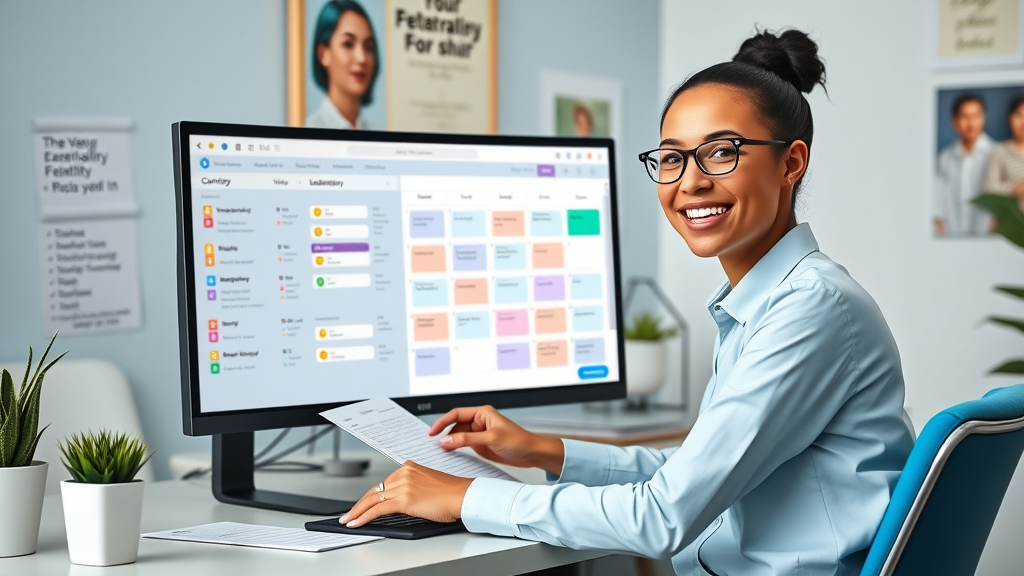
A content calendar acts as your campaign compass, guiding every piece of content from ideation to publication. It sits at the heart of your marketing strategy , ensuring that every media post , blog, and campaign aligns perfectly with business goals. By providing a structured approach to content creation and distribution, a content calendar makes your strategy proactive instead of reactive.
Every team member benefits: your writers stay on top of deadlines, your designers know when assets are due, and your content and media manager can easily track the status of each campaign. Overall, a well-planned content calendar organizes your workflow, so critical details like target platforms, content types, and assigned contributors are never overlooked. It’s the single source of truth that connects your content marketing vision to real, measurable execution.
How to Create a Content Calendar for Editorial, Social Media, and Marketing Campaigns
Learning how to create a content calendar means more than tracking blog posts. It extends to planning every element— social media content calendar , editorial calendar , and media content calendar —that comprises your brand narrative. For example, you might use one calendar to schedule blog posts and another to map out social media content for launches, promotions, or thought leadership efforts. Linking your content plan across these calendars ensures campaigns are rolled out seamlessly on each media platform .
This integrated approach helps you track every social media post , editorial content , and advertising asset in one place. You’ll be able to coordinate resources between your writers, designers, and social media manager , ensuring there’s never overlap, duplication, or missed opportunities. Ultimately, a holistic content calendar brings every corner of your content creation machine into alignment.

Understanding the Basics: What Is a Content Calendar?
At its core, a content calendar is a visual planning tool—usually a spreadsheet or collaborative digital board—that allows you to organize upcoming content tasks by date, channel, and status. With a content calendar template , you gain macro and micro perspectives: see overall marketing themes for the quarter and the daily details of each post.
This calendar template doesn’t just show publishing dates. It tracks content ideas , assigns responsible team members , outlines deadlines, previews content formats (video, blog, infographic, or social media post ), and documents which platforms each piece is destined for. That means you always know what’s ahead—no more scrambling or guessing what comes next in your content plan .
Types of Content Calendars: Social Media Calendar, Media Calendar, and Editorial Calendar
Every marketing team’s needs are unique, so you’ll find several types of content calendars to choose from:
- Social Media Calendars: These track all upcoming social media posts for platforms like Facebook, Instagram, Twitter, and LinkedIn, so nothing slips through the cracks.
- Media Calendars: Used for broader campaigns—product launches, partnerships, or multi-channel campaigns—mapping every planned media post for maximum reach.
- Editorial Calendars: Ideal for managing blog content, newsletters, and feature articles, helping you plan topics, assign roles, and ensure consistent publishing.
"A well-structured content calendar brings clarity and purpose to content creation and marketing strategy."
Key Components: What Does a Content Calendar Contain?
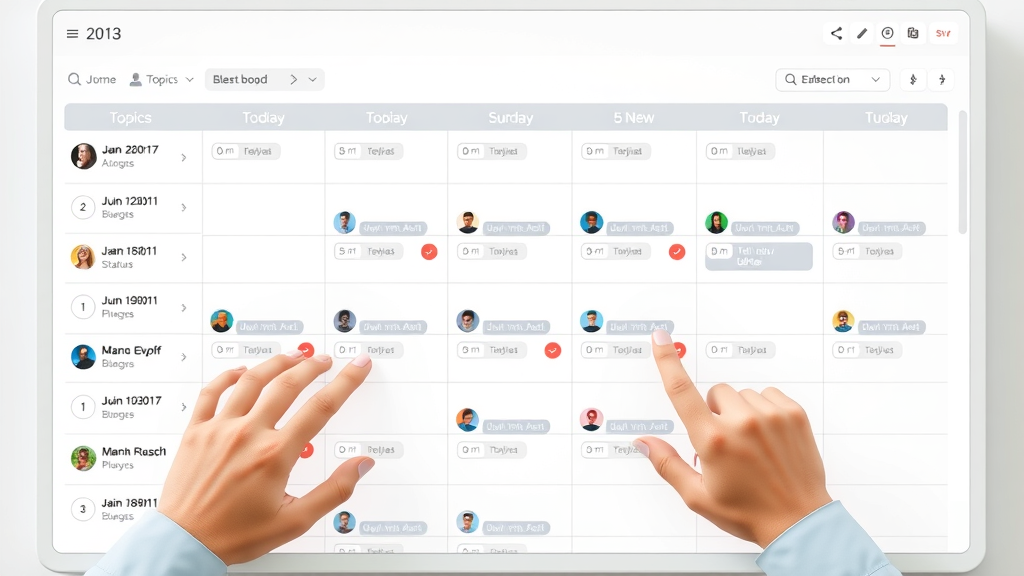
A robust content calendar relies on specific columns, fields, and notes to help keep your content machine humming. Every calendar template should contain:
- Content ideas and topics
- Publishing dates
- Media platform or social media platform assignments
- Responsible team members
- Content format and status updates
Step 1: Establish Your Goals for Creating a Content Calendar
Before you even open a spreadsheet or download a calendar template , ask yourself what you want your content plan to achieve. Are you aiming to increase engagement on certain social media platforms ? Drive traffic to your website? Build your brand’s authority with regular thought leadership pieces? Clarifying these objectives ensures your calendar is built with purpose—each post mapped to a strategic target, rather than filling space for the sake of consistency.
The process starts with an audit of your existing content and understanding gaps in your content marketing . From there, you’ll create measurable goals linked to your sales funnel, broader marketing strategy , and the unique preferences of your target audience . This step is crucial for long-term growth—and for showing your team members exactly how each blog, video, or social media post fits into the bigger picture.
Align Your Content Calendar with Your Overall Marketing Strategy
For a content calendar to truly work, it must mirror the themes, campaigns, and milestones in your marketing strategy . Start by importing launch dates, seasonal campaigns, and other core initiatives into your media calendar . Next, ensure every member of your content and media team understands how their assignments reinforce these priorities.
Bridging your editorial calendar and social media content calendar with sales and promotions allows for unified messaging and maximized impact. Regular check-ins between your editorial, media, and design teams foster a collaborative environment where everyone’s actions are geared towards the same strategic outcomes.

Step 2: Brainstorm and Organize Content Ideas for Your Content Calendar
Creativity is at the heart of an effective content plan . Begin by gathering content ideas from various sources: trending topics, timely events, and evergreen themes that appeal to your target audience . Use analytics from previous media posts and social media content to uncover what resonates.
The next step? Organization. Map your top picks to relevant campaigns in your media calendar and schedule them for periods of high engagement. This system avoids content droughts or overlaps and ensures each media post serves a specific business goal.
- Identify trending topics and evergreen content
- Utilize keyword research for your content plan
- Map topics to media content calendar and social media calendar
Step 3: Choose the Right Content Calendar Template and Tools
Choosing your content calendar template can be as simple as customizing a Google Sheet or as advanced as using dedicated platforms like Trello or Asana. The best tools help you keep everything organized and enable seamless collaboration between your team members —even as your content planning scales up. Whichever you choose, make sure it aligns with your workflow needs, team size, and the complexity of your media content calendar .
Popular Content Calendar Templates: Google Sheets, Excel, and More
Different templates serve different teams. Here’s how the most popular options stack up:
| Template Type | Best For | Key Features |
|---|---|---|
| Google Sheets | Collaboration | Real-time editing, sharing |
| Excel | Customization | Advanced formulas, layout |
| Trello | Visual Management | Boards, cards, automation |
| Asana | Task Scheduling | Projects, timelines |

Step 4: How to Use Excel to Create a Content Calendar
Excel is a favorite among teams that want full customization for their content calendar template . Because you can add complex formulas, color-coded tags, and filters, you can tailor the spreadsheet to your exact needs—be it editorial planning, social media calendar , or campaign tracking.
Create columns for publish dates, headlines, status, assigned team members , and media channels. With Excel, you can automate alerts for deadlines or missing info—a lifesaver for busy marketing teams working across multiple media platforms .
Building Your Calendar Template in Excel
Start your Excel content calendar with a blank template. Add columns for date, topic, responsible team member , status, content type, platform, and notes. Apply color-coding for each media platform or campaign, which offers at-a-glance clarity for your entire content creation team. Filter features help you track overdue posts or upcoming deadlines. Regularly update your Excel calendar to keep your content plan on track and your media calendar fluid and responsive to campaign needs.
Excel Tips for Managing Your Content Plan and Social Media Content Calendar
Use Excel’s conditional formatting to highlight missed deadlines, automate status changes as content moves from draft to publication, and drop-down lists to standardize choices for platforms and content formats. This saves time while reducing human error. Also, leverage Excel’s built-in charts to visualize content planning bottlenecks across your social media content calendar —helping you spot and fix workflow snags before they impact your results.
Step 5: How to Use Google Sheets to Create a Content Calendar
Google Sheets is ideal for real-time collaboration, allowing multiple team members to access and edit your content calendar simultaneously. Links, comments, and even approval workflows are simple to implement, so your content planning process remains transparent and accessible. It’s perfect for distributed teams juggling editorial, social media content calendar , and broader media content calendar tasks from anywhere.
Setting Up a Collaborative Content Calendar in Google Sheets
Begin by customizing columns for date, content idea, status, assigned writer or designer, channel, and progress notes. Color code each row based on platform or campaign to make scheduling easier and more visually appealing. Use Sheets’ sharing features to enable team-wide input, resolve bottlenecks, and catch overlooked deadlines—keeping content flowing on time and target.

Integrating Content Planning and Media Content in Google Sheets
For more advanced workflows, integrate your content plan directly with analytics tools and editorial assets using formulas, conditional formatting, or add-ons like Zapier. Link your social media calendar tabs to main campaigns in your media content calendar , so every project update carries over across your entire ecosystem. This linking approach saves time, adds transparency, and empowers every team member to contribute actively to content creation .
Step 6: Assigning Tasks and Setting Deadlines in Your Content Calendar
Assigning specific roles and deadlines to each media post , editorial article , or social media post is the foundation of an accountable content workflow. In your content calendar template , dedicate columns for “Assigned To” (team member responsible), “Due Date,” and “Status.” This removes ambiguity and ensures nothing falls through the cracks.
With this approach, both leadership and team members can track progress at a glance and adjust workloads where needed. Automate notifications or deadlines using your chosen tool to keep everyone on pace for publishing and campaign launches.
Coordination Among Team Members for Content Creation and Scheduling
Seamless collaboration is crucial. Use your content calendar as a centralized hub, enabling writers, designers, and marketers to exchange feedback, finalize assets, and push each piece to the finish line. Weekly check-ins or “content huddles” tied directly to your editorial calendar and media calendar maintain creative momentum and eliminate scheduling clashes. Ultimately, it empowers every team member to own their part of the process while keeping projects aligned and on time.

Step 7: Publishing and Distribution: Aligning Your Social Media Content Calendar and Media Calendar
With your media content calendar filled and responsibilities assigned, focus next on publishing and distribution. That means building a workflow that ties your social media content calendar and editorial calendar together, ensuring each media post is published at the optimal time, on the right social media platform , and with the correct messaging.
Plan regular status checks to evaluate timing, spot conflicts, and coordinate launches across platforms. This orchestrated approach maximizes reach, maintains brand consistency, and avoids overwhelming your target audience with overlapping messages.
Scheduling Social Media Content Across Multiple Platforms
Use your social media content calendar to plot out every media post —from Instagram Stories to LinkedIn articles and Twitter threads. Add links, captions, and hashtags directly into your calendar to make approvals seamless. Automation tools like Buffer, Hootsuite, or native scheduling options within Facebook and Twitter can cue these posts for precise times, maximizing engagement without manual effort.

Utilizing Social Media Calendar Tools for Automation
Modern media managers rely on tools that integrate their social media content calendar with publishing platforms. With automation, you reduce manual tasks and ensure content goes live even if you’re away from your desk. Choose tools that allow for approval flows, revisions, and analytics tracking so you can spot high-performing campaigns and reallocate resources where it matters most.
Step 8: Tracking Performance and Optimizing Your Content Calendar
Building your content calendar is only the first step—continuous analysis ensures you remain competitive. Start with tracking core KPIs (Key Performance Indicators) within your media content calendar and social media calendar such as engagement, click-through rates, and conversion metrics. These insights help determine if your content plan is working or if adjustments are needed to boost performance.
Regular review empowers your team members to adapt quickly, drop underperforming campaigns, highlight high-impact ideas, and repurpose evergreen content—keeping your schedule full and results impressive.
Monitoring KPIs in Your Media Content Calendar and Social Media Calendar
Embed KPI columns to monitor engagement, reach, shares, and conversions for each media post . Overlaying analytics with your content calendar reveals trends: What topics perform best? Which media platforms deliver the highest ROI? This ongoing feedback loop means your content strategy never grows stale—it’s always being optimized for your goals.
Adjusting Content Planning Based on Insights and Data
Acting on performance data is where the real magic happens. Adjust your media content calendar and social media content calendar based on insights—shifting resources, updating content themes, or doubling down on formats your audience loves. This proactive optimization keeps engagement high and ensures your campaigns always align with shifting market trends and audience preferences.
Content Calendar Best Practices: Pro Tips for Maximum Engagement
- Review your content plan weekly
- Include visual content in your media calendar
- Repurpose content across social media platforms
- Utilize feedback for continuous improvement

The Power of Templates: Downloadable Content Calendar Template Options
Ready to jump-start your process? Save hours with free and paid downloadable templates that structure your content calendar for instant use—no building required. Just plug in your content ideas, campaigns, and deadlines, and you’re set.
Accessing Free Calendar Templates for Google Sheets and Excel
- Editorial content calendar
- Social media content calendar
- Marketing campaign calendar templates
People Also Ask: How do I create a content calendar?
To create a content calendar, start by auditing your current content and marketing strategy, then set clear objectives. Use a calendar template to organize content ideas by date, delegate tasks, select appropriate platforms, and track progress for continuous optimization.
People Also Ask: How to use Excel to create a content calendar?
Using Excel to create a content calendar involves choosing a customizable template, entering your content plan organized by days or weeks, adding responsible parties, deadlines, and publishing channels for each item.
People Also Ask: What does a content calendar contain?
A content calendar contains content topics, publish dates, assigned team members, platform details, campaign notes, and progress tracking for all planned media and social media content.
People Also Ask: How to use Google Sheets to create a content calendar?
Set up a Google Sheets content calendar by creating columns for date, topic, platform, creator, status, and notes. Leverage sharing and collaborative editing features to keep the whole team aligned.
Expert Answers: Frequently Asked Questions About How to Create a Content Calendar
- What tools work best for small businesses creating a content calendar? Tools like Trello, Google Sheets, and Asana are great for small teams needing flexibility and collaboration. Google Sheets is especially user-friendly and free.
- How often should you update a content calendar? Review and update your content calendar at least weekly. This keeps your content plan agile and responsive to new opportunities and shifting priorities.
- How do you measure the success of your content calendar? Track KPIs such as engagement rates, traffic, conversions, and completion of scheduled posts. Analyze which topics, formats, and platforms deliver your best results.
Top Takeaways: How to Create a Content Calendar That Delivers Results
- Start every project with a solid template
- Customize your calendar for your platforms and goals
- Consistently track, review, and refine your content calendar
Level Up Your Marketing—Schedule a Free Strategy Session and Master How to Create a Content Calendar
Ready to amplify your results? Schedule a Free Strategy Session Today!
Creating an effective content calendar is essential for organizing your marketing efforts and ensuring consistent engagement with your audience. To assist you in this process, consider exploring the following resources:
-
“How to Create a Content Calendar for your Marketing Strategy” : This guide provides a comprehensive overview of building a content calendar, including steps like repurposing prior content and setting publishing frequencies. ( adobe.com )
-
“Complete Guide To Content Calendar Success” : This resource outlines a three-step approach to developing a content calendar, emphasizing the importance of laying a solid foundation, building the calendar, and selecting appropriate content channels and topics. ( sproutsocial.com )
By leveraging these guides, you can create a structured content calendar that aligns with your marketing goals and resonates with your target audience.




Write A Comment