


Did you know 75% of users never scroll past the first search engine results page? Navigating the digital landscape can feel overwhelming, especially when it comes to deciding between SEO and SEM. Whether you’re a business owner wanting explosive growth or a curious marketer, decoding SEO vs SEM is the first step toward dominating the search engine market . Dive in to uncover proven tactics, the real impact of each strategy, and how one—or both—can propel your website to the top, fast.
Unlocking Growth: The Impact of SEO vs SEM on Your Search Engine Performance
When seeking online success, understanding the impact of SEO vs SEM on your search engine performance is vital. Search engines like Google are the digital battleground for visibility, driving the lion’s share of web traffic. SEO (search engine optimization) focuses on earning higher positions in organic search results by improving website content, user experience, and site structure. On the other side, SEM (search engine marketing) incorporates both paid ads and SEO to boost immediate presence in the search engine market .
The main difference boils down to speed and sustainability. SEO nurtures long-term growth and credibility, but can take months or even longer before you see explosive results. In contrast, SEM —primarily powered by paid search methods such as Google Ads—delivers instant traction and swifter campaign data. To illustrate, startups might use SEM for instant leads while simultaneously investing in SEO for future gains. Understanding when to deploy each can shape your overall search engine marketing strategy and accelerate growth, both immediately and sustainably.

- In this guide, discover how SEO vs SEM shapes your approach to search marketing, when to use each strategy, and how the right tactics can accelerate your success in the search engine market.
What You'll Gain By Understanding SEO vs SEM
- The key difference between SEO and SEM
- How search engine marketing fuels rapid results
- Step-by-step breakdowns of SEO and SEM components
- Essential tools for keyword research and performance tracking
- Strategies for integrating SEO and SEM for maximum ROI
Search Engine Basics: Foundation of Every SEO vs SEM Decision
How Search Engines Work and Influence the Engine Market
Search engines such as Google, Bing, and Yahoo are the gateways to the internet for most users. These platforms utilize complex algorithms and crawlers—or bots—that sift through billions of web pages each second. They evaluate everything from keyword relevance and page structure to backlink authority, assigning a rank score that ultimately determines where a site appears on the search engine results page .
This ability to organize, interpret, and deliver relevant content exerts a massive influence on the engine market . Commanding a top spot ensures higher organic traffic, credibility, and, often, better brand recognition. Understanding how search engines operate is the first step to mastering both SEO and SEM —giving you the foundation for any successful engine marketing initiative and making every optimization or ad dollar count in the competitive search engine marketing landscape.

Organic Search vs Paid Search: Distinct Paths in the Search Engine Market
Organic search and paid search are the two primary avenues for visibility within the search engine market . Organic search relies on optimizing your site so it ranks naturally on results pages, without paying for placement. This depends on the strength of your site’s content, technical SEO, and authority-building through backlinks. Achieving top organic positions means capturing ongoing organic traffic and building trust—since many users value non-sponsored results more highly.
By contrast, paid search enables businesses to appear at the very top of search engine results through bids on specific keywords. Campaigns run via platforms like Google Ads let you instantly claim visibility—even for highly competitive keywords. This is invaluable for new products, seasonal sales, or when rapid traffic spikes are vital. The distinction shapes how you allocate budgets and expectations—organic methods require patience and consistent effort, whereas paid methods promise immediate but often short-lived results.
SEO vs SEM: Defining Each Strategy for Search Engine Dominance
What is SEO? A Deep Dive into Search Engine Optimization
SEO (Search Engine Optimization) is the practice of improving your website’s visibility in search engine results pages (SERPs) without paying for ads. The ultimate goal is to increase organic traffic by enhancing your site’s relevance and authority through on page seo, technical improvements, content creation, and link-building efforts. This means every tweak to content quality, metadata, navigation, and site speed can directly impact your exposure on search engines.
Effective SEO combines multiple disciplines—content strategy, technical site work, and ongoing keyword research—to help your pages rank higher for search queries relevant to your target audience. The benefits are enduring: increased trust, consistent traffic, and long-term growth. While SEO is often seen as a marathon, not a sprint, the compounding returns over time can make it one of the most cost-effective strategies in digital marketing.

What is SEM? Exploring the Engine Marketing Ecosystem
SEM (Search Engine Marketing) is an umbrella term that covers all tactics designed to gain visibility and drive traffic through search engines, including both SEO and paid search campaigns. In modern contexts, SEM commonly refers to paid methods—like Google Ads —but it’s important to remember that true SEM also values organic growth.
With SEM , advertisers can target specific keywords for instant placement on SERPs. Paid ads, shopping campaigns, retargeting, and display ads all fall under the SEM umbrella. Because SEM leverages bidding and campaign optimization, it’s uniquely positioned for product launches, promotional windows, and moments when reaching a specific target audience quickly is essential.
Key Difference Between SEO and SEM in Search Marketing
The key difference between SEO and SEM lies in their approach to visibility and speed of results. SEO is entirely focused on organic efforts aimed at earning a place in the unpaid portions of search engine results , building credibility over time. SEM encompasses both organic strategies and paid approaches, allowing businesses to appear immediately at the top of results pages through paid placements.
While SEO provides sustainable growth and high trust, SEM offers flexibility, immediate feedback, and scalable spending. The best strategy often blends both—using SEM for fast impact and SEO as the backbone for long-term dominance in the engine market and across major search engines .
| SEO (Search Engine Optimization) | SEM (Search Engine Marketing) | |
|---|---|---|
| Primary Focus | Organic search results | Organic search + Paid search |
| Timing | Long-term, ongoing | Immediate & short-term |
| Cost Structure | Usually lower ongoing costs | Pay-per-click (PPC), ongoing ad spend |
| Trust & Credibility | High (organic results trusted by users) | Variable (may be seen as "ads") |
| Use Case | Brand-building, authority, sustained growth | Product launches, promotions, fast results |
Technical SEO Explained: Laying the Groundwork for Organic Search
On Page SEO: Optimizing Keywords and Content Quality
On page SEO is where your content meets technology for maximum search impact. This strategy involves optimizing title tags, meta descriptions, headers, and ensuring content answers users’ intent. Quality keyword research helps you pinpoint phrases your target audience is searching for, allowing for seamless integration into your content. Careful structuring, keyword placement, and internal linking also make it easier for search engines to crawl your website.
Beyond keywords, on page SEO means rigorous content audits, improving readability, optimizing images (with descriptive alt text for accessibility), and ensuring mobile friendliness. The better your on page SEO, the easier it is to earn prominent positions on the search engine results page —delivering users the best experience while satisfying search engine algorithms.

Technical SEO: Improving Crawlability and User Experience
Technical SEO refers to backend optimizations that enhance your site’s infrastructure, making it easier for search engines to discover, index, and rank your content. Tasks like improving website speed, securing your site with HTTPS, creating XML sitemaps, optimizing robots.txt files, and ensuring mobile responsiveness are all key components. These technical refinements are essential—they support both organic search success and the overall usability of your site.
By focusing on technical seo , businesses boost website load times, decrease bounce rates, and ensure critical pages are properly indexed. These improvements are crucial for competing in the ever-evolving search engine market , as they influence both your site’s performance and its ranking on engine results pages . Investing in technical SEO is foundational, as even the best content can’t thrive without a technically sound website to support it.
Search Engine Marketing: SEM Power Tools for Rapid Visibility
How Google Ads and Paid Search Shape the Search Engine Market
Google Ads and other paid search platforms are at the heart of SEM. They allow marketers to bid on keywords and secure top positions on the search engine results page almost instantly. These ads appear above or beside organic listings, granting prompt exposure and supreme control over targeting. This precision is invaluable—whether you’re targeting a specific demographic, location, or device, paid ads let you adjust campaigns in real-time to maximize impact.
The value of Google Ads within the engine market is clear: new businesses can gain traction immediately, while established brands can strategically defend territory or boost campaign performance on demand. However, successes rely heavily on budget management, ad copy quality, and continual optimization. To truly master search engine marketing , understanding the nuances of paid platforms like Google Ads is essential for maneuvering both rapid results and measured growth.

Keyword Research Methods for SEM and SEO
Keyword research is the foundation of both SEM and SEO strategies. For SEO, it involves identifying the terms your target audience uses to find products, services, or information—then naturally incorporating these terms into your content and meta data. This kind of research includes assessing competition, analyzing search volume , and focusing on user intent. For SEM, keyword research is even more granular—ad groups, negative keywords, and bid strategies all hinge on accurate, data-driven keyword selection.
Popular tools for keyword research include SEMrush, Ahrefs, Google Keyword Planner, and Moz. Each tool helps uncover high-traffic phrases, analyze your competition, and fine-tune your campaigns based on live data. Regular keyword audits ensure your campaigns remain relevant and outperform your competitors on the search engine results pages . Successful search engine marketing combines robust research for both organic and paid channels, amplifying every campaign effort.

Crafting Compelling Ads: Maximizing ROI in Engine Marketing
Effective ads are at the heart of high-performing SEM campaigns. Crafting compelling ad copy requires clarity, relevance, and a powerful call-to-action tailored to your target audience . Strong campaign structure—using tightly focused ad groups and targeted landing pages—ensures higher quality scores and better ad placement on the results page . A/B testing headlines, using ad extensions, and focusing on benefits over features can all improve click-through and conversion rates.
To maximize ROI, it is vital to monitor real-time analytics—tweaking bids, refining targeting, and identifying what resonates with your audience. Success in search engine marketing depends on agility: the more you test and adapt, the more effectively you’ll outmaneuver the competition on the search engine results page and deliver measurable business impact.
SEO and SEM: Integrating Strategies for Search Marketing Success
When to Choose SEO, SEM, or Both in the Engine Market
Choosing between SEO, SEM, or a hybrid approach depends on your business goals, resources, and timeline. For industries with intense competition or businesses requiring immediate leads—like ecommerce, events, or new product launches—SEM provides vital fast-track access to your target audience . By contrast, organizations focused on brand trust and sustainable growth naturally lean into SEO, as long-term organic rankings consistently generate organic traffic without ongoing ad spend.
For most, an integrated approach offers the best of both worlds. Launch SEM for rapid results and data collection, then channel insights into SEO content and structural optimizations. Over time, you can transition budget from paid to organic as visibility and authority grow, leveraging both strategies for maximum presence in the search engine market .

Measuring and Combining Organic and Paid Search Results
Tracking the effectiveness of your SEO and SEM campaigns is crucial for ongoing improvement. Use analytics platforms to monitor organic and paid traffic, click-through rates, conversion rates, and ROI. Integrating data from Google Analytics, Search Console, and ad platform dashboards creates a unified view of performance across channels. This enables real-time adjustments and helps prioritize where future budget and resources should go.
Combining SEO and SEM unlocks greater insight—understanding which keywords perform best, how paid and organic listings complement each other, and which content resonates with your target audience . By tracking KPIs and running periodic audits, brands can continually refine their approach, optimize for greater visibility, and stay ahead in the search engine marketing game.
“Successful brands master the art of balancing SEO and SEM to create unstoppable search visibility.”
Watch: Businesses Succeeding with SEO, SEM, or Both
Case studies repeatedly show that companies blending SEO and SEM outperform those relying on a single approach. For example, a retail startup used Google Ads for instant traffic and sales during launch week, while concurrently improving on page SEO and building backlinks for future organic growth. Within six months, paid strategies ensured steady daily leads, while SEO efforts began driving an increasing share of conversions—resulting in a robust, multi-channel presence in the crowded search engine market .
Such examples illustrate the compounding effect of leveraging both strategies. The ability to experiment, gather data, and optimize across channels ensures consistent growth and agility in responding to changing online trends or algorithm updates. Video walk-throughs of such strategies can offer additional, practical insights for those looking to implement SEO and SEM in tandem.
List: SEO vs SEM – Pros and Cons in the Current Search Engine Market
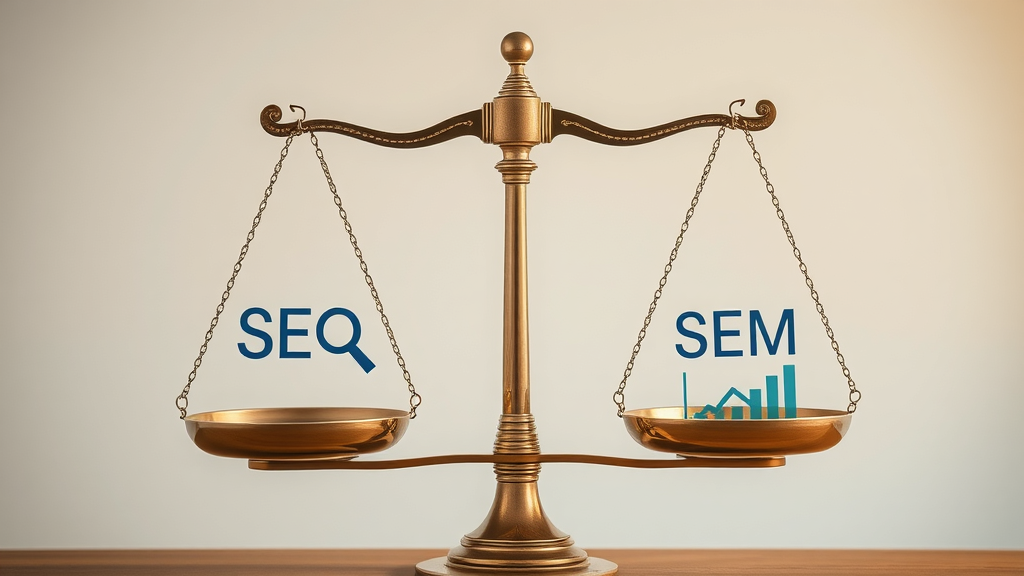
- SEO Pros: Cost-effectiveness, Trust, Long-term Growth
- SEO Cons: Slow Results, Algorithm Dependency
- SEM Pros: Immediate Visibility, Precise Targeting
- SEM Cons: Ongoing Costs, Ad Fatigue
What is the difference between SEO and SEM?
Answer: SEO optimizes your site for organic search while SEM includes both organic optimization and paid search tactics for maximum visibility.
What is the difference between paid SEO and SEM?
Answer: Paid SEO refers to paying for optimization services or tools, whereas SEM predominantly focuses on paid ads in addition to organic efforts.
What are the benefits of SEM over SEO?
Answer: SEM provides instant visibility, scalable targeting, and data-driven insights ideal for launches or fast campaigns, outperforming SEO in short-term results.
Is Google Ads SEO or SEM?
Answer: Google Ads is a core component of SEM, not SEO; it allows marketers to instantly place ads on the search engine results page.
FAQs on SEO vs SEM in Search Engine Marketing

- Can small businesses benefit from using SEO and SEM together? Absolutely! Small businesses can use SEM for quick visibility while building authority with SEO—delivering both short-term results and sustained growth.
- How often should keyword research be updated in search engine marketing? Ideally, keyword research should be reviewed quarterly or whenever major shifts in the industry or your offerings occur, keeping campaigns fresh and relevant.
- Do search engines rank sites higher for using both SEO and SEM? No, search engines don’t give higher organic rankings for running ads, but combining both can increase your brand’s overall visibility on the results pages.
- Is on page SEO enough or should technical SEO always be included? Technical SEO should always complement on page SEO, ensuring your website is accessible, fast, and optimized for both users and search engines.
Watch: Actionable Tips for Boosting Your Engine Market Performance

Expert Insights: How to Choose the Right Search Engine Strategy for Your Business
“Adaptability is key—align your strategy with your goals, market, and resources for optimal results in the engine marketing world.”
Integrating SEO and SEM for Maximum Search Engine Impact
- Combining keyword research across platforms
- Balancing organic and paid campaign budgets
- Tracking KPIs for ongoing improvement
Summary: Find Your Edge in the Search Engine Market
Winning in the search engine market often requires both patience and agility. Blending SEO for credibility and SEM for speed gives you a competitive advantage in an ever-evolving digital landscape. Analyze, adapt, and never stop optimizing.
Take the Next Step: Transform Your Approach with SEO vs SEM
- Ready to unlock your website’s true potential? Harness the power of both SEO and SEM to dominate the search engine market today.
Understanding the distinctions between SEO and SEM is crucial for developing an effective digital marketing strategy. SEO (Search Engine Optimization) focuses on enhancing a website’s visibility in organic search results through content optimization, technical improvements, and link-building efforts. This approach aims for long-term growth and credibility but typically requires several months to yield significant results. In contrast, SEM (Search Engine Marketing) encompasses both SEO and paid advertising strategies, such as pay-per-click (PPC) campaigns, to achieve immediate visibility in search engine results. While SEM can drive quick traffic, it involves ongoing costs and may not offer the same level of trust as organic results. Combining both strategies can provide a balanced approach, leveraging the immediate benefits of SEM while building sustainable growth through SEO.
For a comprehensive understanding of these strategies, consider exploring the following resources:
These articles provide in-depth insights into the differences between SEO and SEM, helping you determine the best approach for your website’s growth.




Write A Comment