


Did you know? Businesses with optimized Google Business Profiles are 70% more likely to attract local visits and new customers than those without
A Startling Fact: Why Google Business Profile Optimization is Essential for Local Rank
"According to Google, businesses with optimized business profiles are 70% more likely to attract local visits and customers than those without."
Local consumers today rely heavily on Google to discover, evaluate, and select businesses. An unoptimized or incomplete Google Business Profile can leave your business buried under competitors, effectively invisible on Google Maps or in local search results. For any business aiming to get noticed—whether it’s a bakery, accountant, or auto shop—profile optimization isn’t just a nice-to-have, it’s a crucial ranking factor influencing your local SEO and visibility in the celebrated map pack.
With more mobile searches and “near me” queries than ever before, optimizing your Google Business Profile means your phone number, business information, and products and services appear right where your potential customers are searching. Ignoring optimization may leave you dependent on weaker discovery channels like social media, while your rivals capitalize on powerful free visibility right in Google search results.

What You'll Learn in This Guide to Google Business Profile Optimization
- The importance of google business profile optimization for local search
- Step-by-step instructions to optimize google business profiles
- Proven strategies to improve your local rank
- Expert insights into the latest ranking algorithm changes
- How to ensure complete and accurate business information
Understanding Google Business Profile Optimization and Its Impact on Local Rank
What is Google Business Profile Optimization?
Google Business Profile optimization is the strategic process of fine-tuning the information and features of your Google Business Profile so your business stands out in local search and Google Maps. This optimization entails filling out every available field—including your business info, primary category, services, phone number, and opening hours—while adding compelling business descriptions and high-quality images. The aim is to boost engagement, earn customer trust, and increase your chances of appearing in the top map pack positions, where most local clicks occur. Microsoft found that businesses with accurate, complete Google profiles receive up to twice as many actions from users (like calls, directions, and website clicks) compared to unverified or unoptimized listings.
Profile optimization is more than just a one-off task: it’s an ongoing strategy that ensures your business always provides the right details for prospective customers and signals trust to Google’s search engine algorithm. When you continually update information, add posts and reviews, and monitor how users interact with your profile, you help Google’s ranking algorithm understand your relevance for local queries, putting you one step closer to dominating your local rank.
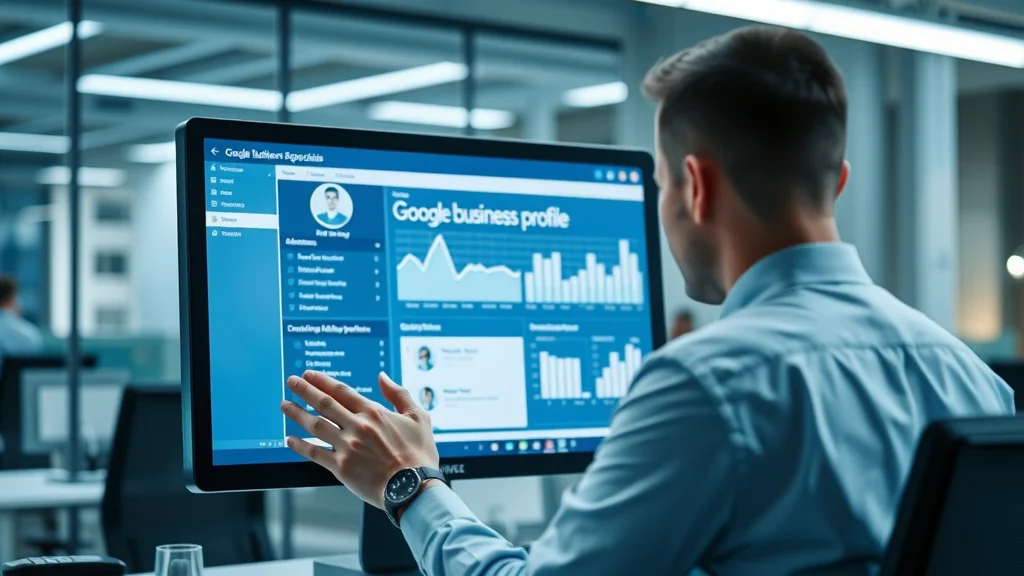
The Connection Between Google My Business Profile and Local SEO
Optimizing your Google My Business profile directly impacts your local SEO—a powerful driver of leads and sales for local businesses. Google’s algorithm prioritizes factors like proximity, relevance, and prominence when displaying search results, and a thoroughly optimized profile checks all these boxes. For example, accurately setting your service area and business description ensures your business appears for relevant “near me” searches, while a steady stream of positive reviews and fresh photos boosts your prominence.
Local SEO success hinges on the synergy between your business profile, your website, and your broader digital presence. Consistency across online business directories, website schema markup, and map pack listings multiplies the trust signals that Google uses to rank you higher. Regularly leveraging Google Posts, replying to reviews, and updating your phone number or hours as they change all count as key elements for top results in local search, putting your business in front of people ready to act.
For businesses looking to further enhance their local search performance, integrating advanced search engine optimization techniques alongside Google Business Profile optimization can create a powerful synergy that drives even more visibility and engagement.
Why Every Business Profile Needs Optimization to Compete Locally
Today’s competitive local market means simply existing online isn’t enough. If your business profile is incomplete, outdated, or inconsistent with your website and other directories, Google may show your competitors in the map pack instead. A lack of optimization can result in missing critical customer actions—phone calls, direction requests, or website visits—handing valuable leads to others.
"Local businesses that optimize their profiles see a substantial increase in search results impressions."
Consistency is critical: Google’s ranking algorithm checks that your business information—especially your name, address, and phone number (NAP)—matches everywhere it appears. By actively managing and optimizing your Google Business Profile, you maximize your opportunities to appear for lucrative local queries, attract new customers, and build a robust reputation via reviews, all of which are essential for sustainable growth in today’s digital marketplace.
Setting Up and Claiming Your Google Business Profile
Step-by-Step: How to Claim Your Google Business Profile
If it appears, click “Own this business?” and follow the prompts to verify ownership—Google may send a verification code by mail, phone, email, or instant verification depending on business type
After claiming, ensure you verify your business; unverified listings are not eligible to appear in the map pack or receive customer reviews. Once you’ve gained access, you’ll want to immediately check all critical fields: business name, primary category, phone number, address or service area, website, and business hours. Completing this process accurately is a foundational step in your overall profile optimization and helps streamline your path to local SEO success.

Business Information Essentials: Accuracy in Name, Address, and Phone Number
Your Name, Address, and Phone Number (NAP) must be accurate, complete, and consistent across your Google Business Profile, website, and any directories you use. Google’s ranking algorithm heavily weighs NAP consistency when determining your trustworthiness and eligibility for top local search results. Even minor discrepancies—such as different spellings, outdated phone numbers, or old addresses—can harm your visibility in the map pack and confuse both customers and search engines.
Take care to enter your business info exactly as it appears on official documents and your website. For businesses serving a specific area—like plumbers or delivery services—verify that your service area settings reflect the true regions you operate in without exaggeration. Matching information across platforms boosts local rank and helps Google seamlessly connect your profile to potential customers actively seeking your products and services.
Optimizing Your Google Business Profile for Service Area Businesses
If you operate without a public storefront—such as electricians, landscapers, or mobile hair stylists—optimize your Google Business Profile by clearly defining your service area. Google allows you to select cities, postal codes, or geographic regions instead of a physical address. This customization ensures you show up for relevant “near me” queries and in the map pack for the areas you truly serve, improving both local search visibility and lead quality.
"Incomplete or inconsistent business information can hurt your local rank and visibility."
Regularly review and update your service area settings if your coverage expands or changes. Avoid listing areas you cannot serve, as this can result in poor customer experiences and even removal from your target search results. By focusing on service area precision, you’ll be better positioned to compete for leads in your true business territory while strengthening your Google Business Profile optimization for the long run.
Key Elements of Google Business Profile Optimization
Crafting a Compelling Business Description for Better Profile Optimization
Your business description is your chance to introduce your business to both Google and potential customers. It’s not just about keywords—though mentioning your primary products and services is essential—but about conveying what sets your business apart. A well-written business description uses clear, concise language to highlight your unique selling points, core values, and experience, inviting potential customers to take the next step.
Avoid keyword stuffing or promotional fluff: focus on accuracy and relevance to increase the trust signals your profile sends to Google’s search engine algorithm. Pair your description with strong calls to action and relevant local terms (“serving downtown Tampa since 2012,” “family-owned HVAC specialist,” etc.). Remember, an authentic and compelling description amplifies your local SEO efforts and supports ongoing business profile optimization by driving more clicks and inquiries.

Selecting the Right Business Categories
Selecting the best-fitting primary category for your business profile is one of the most powerful ways to influence your local rank in search results and the map pack. Your primary category tells Google which queries your business is eligible for (“Bakery,” “Auto Repair Shop,” “Accountant,” etc.), while additional categories can further define what you do. Review how top competitors categorize themselves by searching for your core services and checking their profiles for inspiration.
Only choose categories directly related to your core offerings; irrelevant or overly broad categories may confuse Google’s algorithm and weaken your local SEO efforts. It’s also important to periodically revisit your category selections as your business evolves. Accurate category selection serves as a critical ranking factor for both search engine and customer experience purposes.
Optimizing Phone Number, Website, and Business Hours
Ensure your phone number is direct, working, and matches the number displayed on your website and marketing materials. Avoid using call tracking numbers unless absolutely necessary for your analytics, as mismatches can affect trust scores. Your website URL should direct users either to your homepage or, ideally, to a location or service page that matches user intent. Providing a reliable website link reinforces your credibility and makes it easy for potential customers to take further action.
List accurate business hours and keep them updated, including special holiday or event changes. Inaccurate hours are one of the top reasons for negative reviews and customer complaints. An accurately maintained phone number, website, and schedule play a vital role in building trust and optimizing your google business profile for better local search performance.
Adding and Managing Photos on Your Google My Business Profile
Photos are one of the most influential elements of an optimized Google Business Profile. High-resolution, up-to-date images increase engagement and trust, helping potential customers get a feel for your location, staff, and services. Businesses with updated photos receive more clicks to their website, direction requests, and even phone calls directly from Google Maps or search results.
- Choose high-resolution images reflecting your services
- Add interior, exterior, and staff photos for authenticity
- Regularly update images to enhance your google business profile optimization
A diverse, well-managed image library supports strong profile optimization, sets realistic customer expectations, and can even be a deciding factor for new clients choosing between your business and a competitor.
Advanced Strategies: Google Posts and Reviews for Business Profile Optimization
Posting Regular Updates and Offers with Google Posts
Google Posts give you a direct channel to engage with your audience and keep your Google Business Profile fresh and active. By sharing weekly updates, special offers, event announcements, or new product highlights, you signal to Google and customers alike that your business is active, responsive, and engaged. Google often rewards active profiles with higher search visibility and more frequent appearance in the map pack.
Be creative and helpful with your posts: offer timely promotions, showcase customer testimonials, or answer frequently asked questions. Each post stays live for seven days, so establish a routine to keep new offers coming. This level of proactive engagement is a proven method to optimize google business profiles and stand out in local search results, while simultaneously building brand loyalty and customer trust.
How to Solicit, Manage, and Respond to Reviews on Your Google Business Profile
Reviews are among the most significant local SEO and search ranking factors in Google’s algorithm. Make it easy for your customers to leave reviews by providing direct links in your follow-up emails, text messages, and on your website. Set expectations for honest feedback and address common customer touchpoints (e.g., after a successful job or purchase). Positive reviews can boost your credibility, while thoughtful responses (especially to negative reviews) demonstrate that you care about customer experience.
Respond promptly to every review—positive or negative. Thank happy customers for their support and address concerns raised in critical reviews with professionalism and genuine offers to make things right. Google highlights businesses that regularly engage with reviews as more trustworthy, which can strongly improve your rankings in both search results and the map pack for your main keywords.
Dealing with Negative Reviews and Enhancing Your Reputation
Negative reviews are inevitable but can be turned into opportunities for reputation management and business growth. Instead of ignoring or disputing negative reviews (except if they violate Google’s policies), publicly acknowledge the issue, apologize if necessary, and outline steps you’ll take to address the concern. Potential customers pay close attention to how businesses respond to criticism, often valuing transparency and proactive service above a perfect score.
Whenever possible, encourage dissatisfied customers to reach out directly so you can resolve issues offline. Learning from feedback and making real improvements demonstrates accountability and can even sway unhappy clients to update their reviews in your favor. Maintaining a reputation score of 4.7 or higher reassures prospective clients and helps solidify your standing in the map pack for your category.

FAQ Management: Addressing Customer Questions Promptly
Your Google Business Profile features a Q&A section visible to all searchers. Regularly monitor and proactively answer customer questions to prevent misinformation and build trust. Prepare a set of answers to common inquiries about your business info, services, products, and policies, and invite loyal customers or your team to submit questions if the section is empty.
Actively managing the FAQ can improve local search performance by demonstrating ongoing engagement, authority, and relevance to Google’s search engine and to your potential customers. Up-to-date, clear answers can be the deciding factor that sways new business your way, especially when prospects compare options in the map pack.
FAQ: Everything You Need to Know About Google Business Profile Optimization
How do I optimize your Google My Business profile?
To optimize your Google My Business profile, begin by claiming and verifying your business in Google’s dashboard. Next, fill out every detail: accurate business name, categories, phone number, business description, hours, and photos. Add regular posts and promptly respond to reviews. Consistency in your NAP and regular updates are essential for boosting your local SEO visibility and standing out in the map pack.
How to optimize Google Business Profile 2025?
Optimizing for 2025 means staying proactive with the latest ranking algorithm updates, leveraging new features (like advanced attributes or service menus), and enhancing engagement with posts and FAQs. Prioritize gathering authentic reviews, refresh images frequently, and ensure your website and Google Business Profile info remains perfectly aligned. Monitor your analytics and map pack position to catch trends and adapt quickly.
How to rank GMB fast?
To rank your Google My Business profile fast, complete all profile sections, select the best-fitting primary and secondary categories, and collect fresh positive reviews. Regularly update photos, post new offers or events weekly, and reply rapidly to all reviews and questions. Monitor your ranking with tracking tools and refine your service area for maximum relevance in the map pack and local search results.
Is 4.7 a good Google rating?
Yes, a 4.7 rating is considered excellent on Google and signals a high level of customer satisfaction. While aiming for a perfect 5.0 is admirable, the occasional critical review (handled professionally) can add authenticity to your profile and assure potential customers that your reviews are genuine.
FAQs on Google Business Profile Optimization Service
- Should I use an optimization service for my business profile?
Many businesses benefit from a professional optimization service, especially when resources or local SEO expertise are limited. These services ensure your profile is thoroughly optimized and monitored, improving results. - How often should I update my business information?
Review and update your information at least quarterly, or immediately after changes in hours, location, or services. - What factors influence my map pack visibility?
Profile completeness, NAP consistency, review quantity and quality, recent posts, photo updates, and business category all determine local map pack rank.
Proven Techniques to Optimize Google Business Profiles for Top Search Results
Profile Optimization: Utilizing Attributes and Special Features
Leverage every additional attribute your business qualifies for (such as “wheelchair accessible,” “outdoor seating,” “online appointments,” or “women-led business”). These not only appear in search results filters but also help Google’s ranking algorithm understand your offerings, boosting your relevance for targeted local queries. Regularly audit newly available features—such as health & safety updates or menu uploads—to keep your profile ahead of the competition.

Leveraging Q&A in Your Google My Business Profile
Google’s Q&A section is your chance to address customer concerns before they ever make a call or visit. By regularly updating responses to frequently asked questions, you shield against common objections and improve conversion rates. Up-to-date, helpful answers build trust and improve your business profile optimization, showing users—and Google’s ranking algorithm—that you are responsive and authoritative in your local area.
Encourage team members or loyal customers to contribute thoughtful questions and answers. This proactive approach ensures your Q&A is robust, relevant, and helpful—qualities that consistently lead to higher visibility for your google business profile in the map pack and local search results.
| Optimization Action | Impact on Local Search | Frequency |
|---|---|---|
| Add photos | Increases engagement & trust | Monthly |
| Post Google updates | Keeps profile active | Weekly |
| Update business info | Ensures accuracy | As needed |
| Reply to reviews | Boosts reputation | Ongoing |
Tracking Results and Measuring Local Rank Improvements After Optimization
Monitoring Insights and Analytics on Google Business Profile
Google provides built-in analytics for your Google Business Profile, allowing you to track how searchers find your profile, what actions they take, and which keywords triggered your listing. Pay attention to metrics like profile views, direction requests, website clicks, and phone calls—spikes often reflect successful profile optimization efforts or completed business info updates. By monitoring these insights, you’ll better understand customer behavior and can refine your strategy for ongoing improvement in local rank and map pack visibility.

Tools to Track Search Results and Map Pack Position
For more comprehensive results tracking, leverage third-party local SEO tools like BrightLocal, Whitespark, or SEMrush. These platforms let you monitor your search results rank, map pack presence, and changes over time. Set up automated reporting to spot drops or spikes quickly and tie these trends back to recent updates—such as new reviews, Google Posts, or changes in your business info. Combining Google’s built-in insights with these external platforms gives a holistic view, ensuring your efforts in google business profile optimization produce measurable gains.
Adjusting to Changes in Google’s Ranking Algorithm
Google’s ranking algorithm for local search evolves regularly, introducing new factors and shifting weight on existing ones. Stay informed by following official Google announcements, SEO news platforms, and industry blogs. When significant updates occur, review your analytics and business info for disruptions—if search volume or map pack rank drops, re-evaluate recent changes. Rapid adaptation, including updates to categories, service areas, or content, can help you regain lost ground and maintain your local SEO momentum.
- Use Google Business Profile analytics dashboard
- Monitor reviews and user engagement
- Leverage third-party local SEO tools
Key Takeaways for Google Business Profile Optimization Success
- Google business profile optimization is critical for local search visibility.
- Maintaining accurate business information enhances your local rank.
- Review management and regular updates keep your business profile competitive.
- Monitor insights and stay updated on ranking algorithm changes.
Ready to Elevate Your Local Presence? Start Your Google Business Profile Optimization Today
Don’t let your competitors steal the spotlight. Begin your google business profile optimization journey, attract more local customers, and secure your business’s place at the top of Google’s local search results—starting now!
If you’re ready to take your local visibility to the next level, consider exploring the broader landscape of search engine optimization strategies. By combining Google Business Profile optimization with a comprehensive SEO approach, you can amplify your reach, strengthen your brand authority, and drive sustainable growth across all digital channels. Unlock the full potential of your online presence and stay ahead of evolving search trends by integrating advanced SEO techniques into your marketing plan. The journey to dominating local and organic search starts with a single step—make it count by investing in strategies that deliver lasting results.




Write A Comment