


Did you know businesses that use a/b testing for landing pages can increase conversion rates by up to 49% ? In a digital landscape brimming with marketing noise, split testing is the not-so-secret weapon that empowers leading brands to stay ahead. Discover how tiny tweaks—from a simple change in your call to action (CTA) button text to a fresh image—can trigger dramatic uplifts in your landing page performance. Read on to unlock the secrets of industry leaders and see your marketing campaigns thrive based on real data, not guesswork.
Unlocking the Power of A/B Testing for Landing Pages: Surprising Industry Insights
Did you know businesses that use A/B testing for landing pages can boost conversion rates by up to 49%? Discover why leading marketers rely on split testing and data to outperform the competition.

Find out how a small tweak in the cta button text increased a site's lead gen by 20% using a/b testing for landing pages.
"Data beats opinion. Effective split testing for landing pages is the most reliable way to uncover what truly drives user action." – Marketing Expert
What You'll Gain from Mastering A/B Testing for Landing Pages
Learn how to run powerful split tests for your landing pages
Understand statistical significance and interpreting test results
Choose and use the right testing tool for your marketing campaigns
Optimize cta buttons, content, and user experience to skyrocket conversion rates
Demystifying A/B Testing for Landing Pages: Key Concepts and Definitions
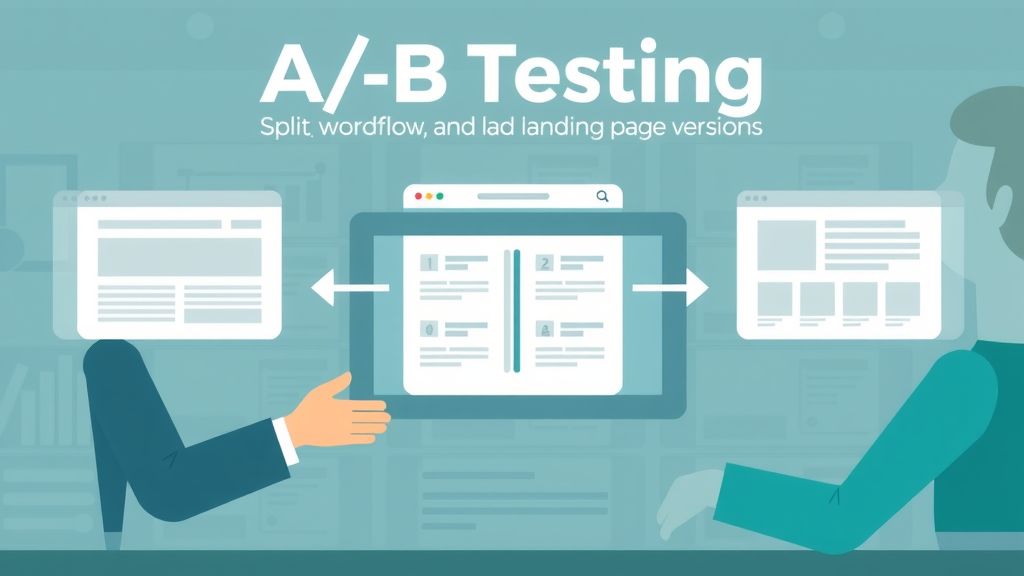
Definition of a/b testing for landing pages: A/B testing is the practice of comparing two versions of a landing page to determine which one performs better, typically focused on metrics like conversion rate or lead gen.
Difference between split test and multivariate testing: While split testing involves comparing two entire versions of a web page, multivariate testing analyzes multiple landing page elements simultaneously to see which combination yields the best performance.
Importance of split testing for improving landing page conversion rate: With controlled experimentation, marketers eliminate guesswork, reduce bounce rate, and directly address what motivates users to convert on their product pages and landing pages alike.
Term |
Definition |
|---|---|
A/B Testing |
Comparing two versions of a landing page to see which performs better |
Split Test |
Testing two variants of a web page against each other |
Multivariate Test |
Testing multiple elements at once for comprehensive optimization |
Why A/B Testing for Landing Pages Is Essential for Growth
How a/b testing for landing pages impacts conversion rates
Reducing bounce rate and improving user experience
Role in successful lead gen and marketing campaign strategies

"Without data, you're just another person with an opinion. Make every landing page improvement count with robust a/b split testing." – Data Analytics Specialist
Implementing A/B testing for landing pages allows businesses to tap into the behaviors and preferences of their target audience in a measurable way. By running data-driven split tests, marketers can directly correlate page element tweaks— such as a new CTA button color or a shorter web form— to quantifiable improvements in conversion rates and lower bounce rates. This approach enables continuous learning and agile optimization across all your digital marketing campaigns.
Reducing bounce rate and enhancing user experience go hand-in-hand with effective split testing. For example, a confusing product page or an overly lengthy sign-up form can repel users. A/B testing surfaces these issues and guides marketers to test new solutions— like trimming form fields or reorganizing page layout— ultimately leading to higher conversion rates and improved lead gen across landing pages.
Moreover, split testing is fundamental in shaping successful marketing campaign strategies. Whether your campaign goal is to generate signups, sales, or downloads, only A/B testing offers the statistical significance needed to justify each design or content decision. The end result? A robust, repeatable process for landing page optimization that consistently lifts performance over time.
How A/B Testing for Landing Pages Works: The Step-by-Step Process
1. Setting a Clear Objective for Your Landing Page Split Test
Identifying primary goals such as boosting conversion rate, decreasing bounce rate, or improving cta button performance
Every successful split test starts with a clear objective tailored to your business needs. For a/b testing for landing pages , your goal might be to increase the signup conversion rate, reduce bounce rate, or enhance the performance of a specific cta button. Defining what you want to achieve provides a focus for all subsequent decisions— from which landing page element to test, to how success is measured. For example, a SaaS company may focus on increasing demo bookings by streamlining the lead gen form, while an e-commerce brand might target higher add-to-cart actions through better CTA placement. Ensuring your goal is measurable and aligned with broader marketing campaign outcomes is critical for meaningful results.
When choosing your objective, think beyond broad metrics and zoom in on actionable KPIs. Is your landing page suffering from high bounce rates? Are users dropping off before completing form submissions? Pinpointing the exact target empowers you to isolate variables and focus your split tests on the most impactful tweaks. Always connect objectives to the desired user behavior, so you can gather statistically significant data about what actually drives conversions.
Finally, successful split testing also requires agreement among stakeholders regarding desired outcomes. Clear communication with your marketing team and designers about the split test’s objective ensures that everyone evaluates the test results with the same lens, which streamlines implementation of the winning version and future landing page improvements.
2. Designing Variations for Effective Split Testing
How to create impactful versions of headlines, form fields, images, and cta buttons
With your objective in place, it’s time to design the two (or more) landing page variations that will comprise your split test. Focus on changing only one key page element at a time—such as a headline, the color or wording of a CTA button, or even the placement of a testimonial image. This isolation allows you to directly attribute any change in performance to the single variable you manipulated, which is crucial for drawing actionable insights and improving your landing page conversion rate.
Consider how subtle adjustments—like revising your offer messaging or reducing the number of fields in your sign-up form—can reduce user friction and encourage more form submissions. Eye-catching product images, simplified layouts, and clearer value propositions are frequent split test candidates, especially on high-traffic landing pages or a key product page. Importantly, always ensure your new variation remains consistent with your brand and provides a seamless user experience to all visitors.

Designing effective split tests is as much an art as it is a science. Collaborate closely with your UX team, leverage customer feedback, and apply knowledge from previous tests. Remember: impactful split testing for landing pages doesn’t require dramatic overhauls. Sometimes, a simple tweak to a CTA button’s text or a swap in background color can significantly influence user behavior and conversion rates.
3. Choosing the Right Testing Tool for Your Landing Pages
Overview of popular testing tools: features, pros, and cons
Using the best testing tool for your needs is pivotal to effective split testing. Popular choices like Optimizely, Google Optimize , and VWO each cater to different business sizes and use cases. Optimizely offers robust analytics and multivariate test capabilities ideal for large enterprises, while Google Optimize is a free, accessible testing tool perfect for startups and SMEs looking to split test without heavy investment. VWO combines a user-friendly interface with deeper insights for growth-focused teams with ongoing marketing campaigns.
Consider scalability, ease of integration, and reporting depth when selecting a split test platform. The right testing tool should provide clear data segmentation, support for both simple split testing and advanced multivariate testing scenarios, and seamless collaboration with your in-house marketing or product development teams. Factor in data privacy, support, and learning resources—essential for achieving statistically significant results.
As you explore your options, leverage free trials to run a test or two and gauge how each tool fits your existing workflow. Look for platforms that automate traffic splitting between variations, offer real-time feedback on conversion rates, and visualize key metrics like bounce rate and lead gen. Armed with the right testing tool, your split testing will become data-driven and actionable from day one.
Watch a quick tutorial on setting up your first a/b test on popular landing page platforms
Video tutorials are one of the fastest ways to understand the practical steps of implementing a/b testing for landing pages. In these guides, you'll watch as experts define test objectives, duplicate landing page variants, set up traffic splitting, and monitor conversion rates using real testing tools. Seeing the workflow in action helps demystify the process, allowing beginners and advanced marketers alike to avoid common pitfalls and get the most out of their split tests.
Many software platforms now offer in-app video onboarding or direct links to YouTube walkthroughs, letting you follow along as you run your first test. This hands-on approach highlights settings to check—like sample size recommendations and statistical significance indicators—and provides real-world tips for maximizing landing page improvements.
Collecting & Analyzing Test Results to Maximize Landing Page Success
Understanding statistical significance: why your test results matter
Best practices for data collection and accuracy
After running a split test, analyzing test results is critical to extracting valuable insights. Statistical significance is the linchpin; it tells you whether observed improvements in conversion rate are likely due to your page variation or just random chance. Using proper formulas and built-in tools, marketers can decide when enough data has been collected—typically when your sample size ensures confidence in the results and eliminates anomalies caused by short-term fluctuations in user behavior.
Metric |
What It Measures |
|---|---|
Conversion Rate |
Percentage of visitors who take desired action |
Bounce Rate |
Percentage of visitors who leave without acting |
CTR |
Click-through rate on cta button |
Best practices for data collection start with keeping your test “clean”—meaning all other variables should remain unchanged, and user segments should be randomized to avoid bias. Use analytics dashboards to monitor trends, identify patterns, and document findings in real-time. Always look beyond just the winning variation; analyzing why a certain version succeeded will inform your future split testing strategies and drive greater marketing campaign ROI.
Finally, don’t ignore the value of qualitative data: heatmaps, session replays, and post-conversion surveys complement quantitative test results and add nuance to your understanding of user behavior. Combined, these best practices deliver actionable, durable landing page improvements.
Instructional walkthrough of turning test outcomes into actionable landing page improvements
Once you have significant split test data, interpretation becomes crucial. Instructional videos often guide viewers step-by-step through dashboards—highlighting which metrics to prioritize (conversion rates, bounce rate, etc.), how to spot trends, and how to apply these lessons to future landing page iterations. These resources show how to validate whether your changes actually drove meaningful improvements or if the results could be attributed to seasonality, traffic spikes, or external influence.
Actionable interpretation means looking at both the quantitative numbers and qualitative user feedback. Videos illustrate how to chart a roadmap for the next batch of split tests—whether it’s implementing the winning version sitewide or testing the same element on additional product pages. This approach fosters a continuous cycle of learning and optimization, ensuring your marketing campaigns never grow stagnant.
Key Elements to Test in Landing Pages for Better Conversion Rates
Headlines and subheadings
CTA button color and placement
Form length and fields
Images and multimedia elements
Offer messaging and trust factors
Address how split testing these elements impacts user experience and user behavior
"Testing one element at a time helps pinpoint exactly what drives higher conversion rates on your landing pages." – Conversion Rate Optimization Expert
Not all landing page elements are created equal—some have outsize impact on conversion rate and user behavior. For instance, a direct and compelling headline can instantly clarify your offer, while a concise, strategically placed CTA button channels users toward your desired action. Testing form length is essential: shorter forms often boost lead gen, but sometimes including an extra qualifying field can increase overall conversion quality.
Multimedia elements—images, explainer videos, logos—help establish trust and convey value quickly. Split testing alternative imagery, or experimenting with minimal versus information-rich backgrounds, can reshape how users perceive your product or service. Don’t neglect microcopy changes either: small tweaks to offer messaging or trust badges often yield surprising jumps in form submissions or product page completions.
Always remember: each split test should isolate one change, enabling you to measure its unique impact. Tracking how users respond to these individual tweaks offers deeper insights into the preferences of your target audience, advancing both user experience and the overall performance of your landing pages.
Advanced Tips: Multivariate Testing vs. A/B Testing for Landing Pages
When to use a/b testing vs. multivariate testing
Complex scenarios where multivariate test tools make sense
Avoiding common pitfalls in advanced split test strategies
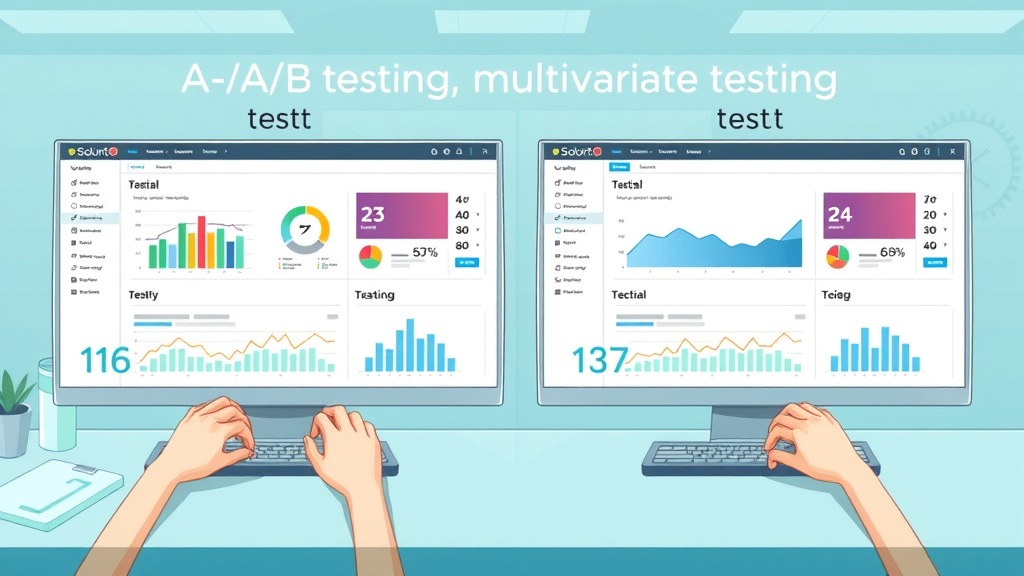
A/B testing is best suited for optimizing one variable at a time—ideal for incremental improvements and statistically significant insights. Multivariate testing, on the other hand, assesses the combined effects of multiple landing page element changes simultaneously, helping identify the most effective “recipe” for enhanced user experience and conversion rates. Use multivariate test strategies when you expect interactions between elements, such as how headline and image combinations might jointly affect web page engagement.
However, multivariate testing is more resource-intensive. It requires significantly larger sample sizes and more robust testing tools to reach statistical significance. If your landing pages attract only moderate traffic, starting with standard split testing delivers faster, clearer results. For high-traffic product pages or mission-critical landing pages, multivariate testing can unlock nuanced insights, but always ensure you manage the test’s complexity to avoid confounding factors or misleading outcomes.
Common pitfalls in advanced testing include testing too many elements at once (leading to inconclusive or statistically insignificant results), poor segmentation, and ignoring external influences like seasonal demand spikes. Always prioritize clarity: begin with one variable, expand slowly to multivariate tests as your experience and sample size grows, and lean on your testing tool’s analytics for data-backed decision-making.
Top Tools and Software for A/B Testing Landing Pages
Comparison of leading testing tool platforms
Selecting the right testing tool for your team’s needs
Testing Tool |
Description |
Best Use Case |
|---|---|---|
Optimizely |
Robust platform for a/b & multivariate tests |
Large enterprises |
Google Optimize |
Free and easy-to-use for simple split tests |
SMEs, startups |
VWO |
Comprehensive analytics suite |
Growth-focused teams |

Choosing an A/B testing tool doesn’t have to be complicated, but your choice should align with your current marketing campaign goals and team bandwidth. Evaluate factors such as user interface, support for advanced analytics, integration with your existing stack, and pricing tiers. Platforms like Optimizely offer the most depth but come with steeper learning curves and higher cost; Google Optimize is a more approachable starter option. VWO offers a favored balance for scaling growth teams.
Take time to review vendor demos, seek out user reviews, and map out your future marketing campaigns to ensure the tool you select will support your evolving split test ambitions. The best software adapts as your business scales, providing clear paths from basic landing page A/B testing to advanced multivariate experiments.
Case Studies: Real-World A/B Testing for Landing Pages Success Stories
Case 1: How a subtle cta button update boosted lead gen
Case 2: Using split testing to reduce bounce rates on a high-traffic product page
Case 3: Drastic improvement in conversion rate from headline change alone

"Iterative A/B testing is the secret to ongoing landing page optimization and business growth." – Digital Product Manager
Case studies highlight the tangible power of a/b testing for landing pages. In Case 1, a minor change to a CTA button’s text boosted lead gen by 20%—an improvement confirmed through statistically significant split testing. For Case 2, an e-commerce company slashed their bounce rate by 15% on a high-traffic product page, simply by simplifying their product description and highlighting reviews more effectively. These examples show the dramatic effect even the smallest change can have when it’s validated with data.
In Case 3, a SaaS provider increased their conversion rate by 25% just by updating the main headline to clarify the product’s unique selling proposition. This demonstrates how messaging clarity plays a huge role in guiding target audiences through the conversion journey. All three cases underline the golden rule: never guess what will work on your landing page—test, test, and test again using robust split test processes.
By incrementally applying these lessons to new landing pages and future product pages, marketers not only witness short-term conversion rate growth but also lay the foundation for compounding returns through continuous landing page improvement and optimized user experience.
Tracking Long-Term Results and Iterating on Landing Pages
Monitoring winning version performance
Using user behavior analytics for future split test plans
Aligning a/b testing with broader marketing campaign strategy
Successful split tests are just the beginning. To sustain gains, continue monitoring your winning version’s performance over weeks or months—sometimes user behavior changes, or what works in one season falters in another. Integrate analytics to detect when conversion rates dip and revisit previous split testing insights to design new experiments. This agile, iterative approach ensures your landing pages evolve with shifting user expectations and market conditions.
Link your A/B testing strategy to your overall marketing campaign objectives, so every iteration moves your business closer to core KPIs—whether that’s lead gen, lower bounce rates on product pages, or improved form submissions. This cyclical process embeds a culture of “always be testing,” driving consistent growth through evidence-based decisions.
Practical strategies to manage tests as business needs grow and reveal more user experience insights
As your marketing operations scale, so does the complexity of split testing for landing pages. Expert videos break down how to manage simultaneous tests across multiple product pages or marketing campaigns, prioritize test schedules, and aggregate insights for company-wide optimization. They also cover how to transition from basic A/B tests to more sophisticated multivariate testing while maintaining data integrity and avoiding “test fatigue.”
Scaling your split testing efforts is ultimately about building processes—developing templates for test hypotheses, reporting, and result rollouts—so that your team can adapt quickly as you launch new products or pivot strategies mid-campaign. With expert guidance, even small teams can punch above their weight and maintain top-tier landing page performance.
Best Practices for Ethical and Accurate A/B Testing on Landing Pages
Avoiding misleading results: data validity and user segmentation
Sample size and statistical significance essential for credible outcomes
Transparent reporting of test results for stakeholders
Ethics and accuracy should anchor every A/B test. Always maintain data integrity by segmenting your audience properly, ensuring random assignment of visitors to test groups. Never stop a split test early just because the results look promising—wait until you achieve true statistical significance based on the projected sample size. This discipline is essential for delivering test results that reliably predict real-world landing page performance.
Transparent reporting is also crucial. Document not just outcomes, but the context—timeframes, audience details, and any confounding variables. Share these results with stakeholders in clear, jargon-free summaries, and provide access to underlying data for deeper dives. This open process builds trust and ensures every optimization is backed by credible numbers.
Embrace a mindset of continual improvement. Each split test, whether successful or not, adds to your company’s knowledge base and sharpens marketing campaigns. Adhering to these best practices ensures your landing pages not only perform better, but also stand up to scrutiny from leadership, clients, and customers.
Overcoming Common Pitfalls in A/B Testing for Landing Pages
Common mistakes: testing too many variables, small sample sizes, ignoring external influences
How to address issues to yield reliable split test and multivariate test results
One of the most frequent missteps in split testing for landing pages is altering too many elements simultaneously. This confuses analysis and can lead to ambiguous conclusions. Always isolate variables and run tests long enough to gather a meaningful sample size. Rushing tests or underestimating the necessary data points will compromise statistical significance, leaving you with inconclusive or even misleading results.
External factors such as holidays, ad spending shifts, and competitor actions can also skew split test data. Be diligent about timing your tests consistently and documenting any potentially confounding influences—this way, you can account for them in your final analysis.
Regularly review previous tests to spot consistent patterns and share learning across teams. By addressing these common pitfalls head-on and applying disciplined split testing methodology, your landing pages will steadily outpace the competition in both conversion rates and user experience.
People Also Ask: What is a B testing in a landing page?
A/B testing in a landing page is the process of creating two versions of a landing page and dividing web traffic between them to determine which one drives a better conversion rate. Marketers use split testing to optimize landing pages by isolating and measuring the impact of individual elements.
People Also Ask: What is a B testing in websites?
A/B testing in websites involves running controlled experiments to compare two versions of a webpage, such as a product page or landing page, to enhance conversion rates and user experience. Split testing isolates alterations to pinpoint what resonates best with your audience.
People Also Ask: How do I set up a B test for my two versions of landing pages?
To set up an A/B test for landing pages, select the element to test (e.g., headline or cta button), duplicate the original page, apply the change to the new version, and use a testing tool to equally split traffic. After enough data is collected, analyze which version achieved the strongest conversion rates.
People Also Ask: How to test landing pages?
Testing landing pages starts with identifying your primary metric (conversion rate, lead gen, bounce rate). Next, design test variations, split your audience, run the test using a dedicated testing tool, and draw actionable conclusions from the results.
Frequently Asked Questions about A/B Testing for Landing Pages
How long should I run a split test on my landing pages? Run your test until you reach statistical significance—typically a few weeks, depending on traffic volume. The key is to collect enough data so that results are not due to chance or outliers.
What is the minimum sample size to achieve statistical significance in split testing? Your minimum sample size depends on your average conversion rate and the minimum detectable effect. Use a test calculator or your testing platform’s suggestions for best accuracy.
Can I run a/b tests alongside multivariate testing? Yes, but only if your website has enough traffic. Otherwise, focus on split testing first for clearer insights before expanding to multivariate tests.
Which metrics are most crucial for landing page optimization? Conversion rate, bounce rate, and click-through rate (CTR) are the top metrics. These inform whether your landing page, form, and CTA elements are effectively turning visitors into customers or leads.
Action Steps: Implement A/B Testing for Your Landing Pages Today
Audit your existing landing pages for optimization opportunities
Choose a testing tool that fits your business size and budget
Set clear goals for split testing to maximize conversion rates
Start testing now and iterate based on the results
"The best-performing landing pages are those powered by ongoing a/b testing and optimization. Don’t guess—test, analyze, and improve continuously." – CRO Specialist
Final Takeaway: A/B Testing for Landing Pages is the Path to Sustainable Growth
Use data-driven split testing to elevate all aspects of your landing pages, from cta button clarity to overall user experience. Start today and stay ahead in the competitive digital landscape.
To deepen your understanding of A/B testing for landing pages, consider exploring the following resources:
“A/B Testing Your Landing Page: A Beginner’s Guide” offers a comprehensive overview of key elements to test, such as headlines, CTA buttons, and form fields, along with best practices for setting up and interpreting A/B tests. ( site123.com )
“How Landing Page A/B Testing Always Boosts Conversions” provides real-world success stories, including how MailerLite increased conversion rates by 12.9% through simple design changes, illustrating the tangible benefits of A/B testing. ( mailerlite.com )
If you’re serious about optimizing your landing pages, these resources will equip you with practical strategies and insights to enhance your conversion rates effectively.




Write A Comment